
Weights and Percentages
For A/B Testing Agents in Conductrics
When you set up an A/B Test Agent in Conductrics, you may want to:
- Adjust the percentage of visitors that are "eligible" for the test, and/or
- Adjust the "weights" between the variations (how many of the "eligible" visitors get A vs B, etc).
Adjusting the Eligibility Percentage
To adjust the percentage of visitors that are "eligible" for the test:
- Create your Conductrics Agent if you haven't already.
- Click "Visitor Conditions" in the right sidebar.
- Add a Condition using a "Random 1-100" rule as shown in the screenshot below, which is using a 20% eligibility percentage as an example. Note that you can also add other eligibility rules based on other data points, such as Custom Visitor Traits.
- Click Done to exit the condition setup window, then hit Save Changes.
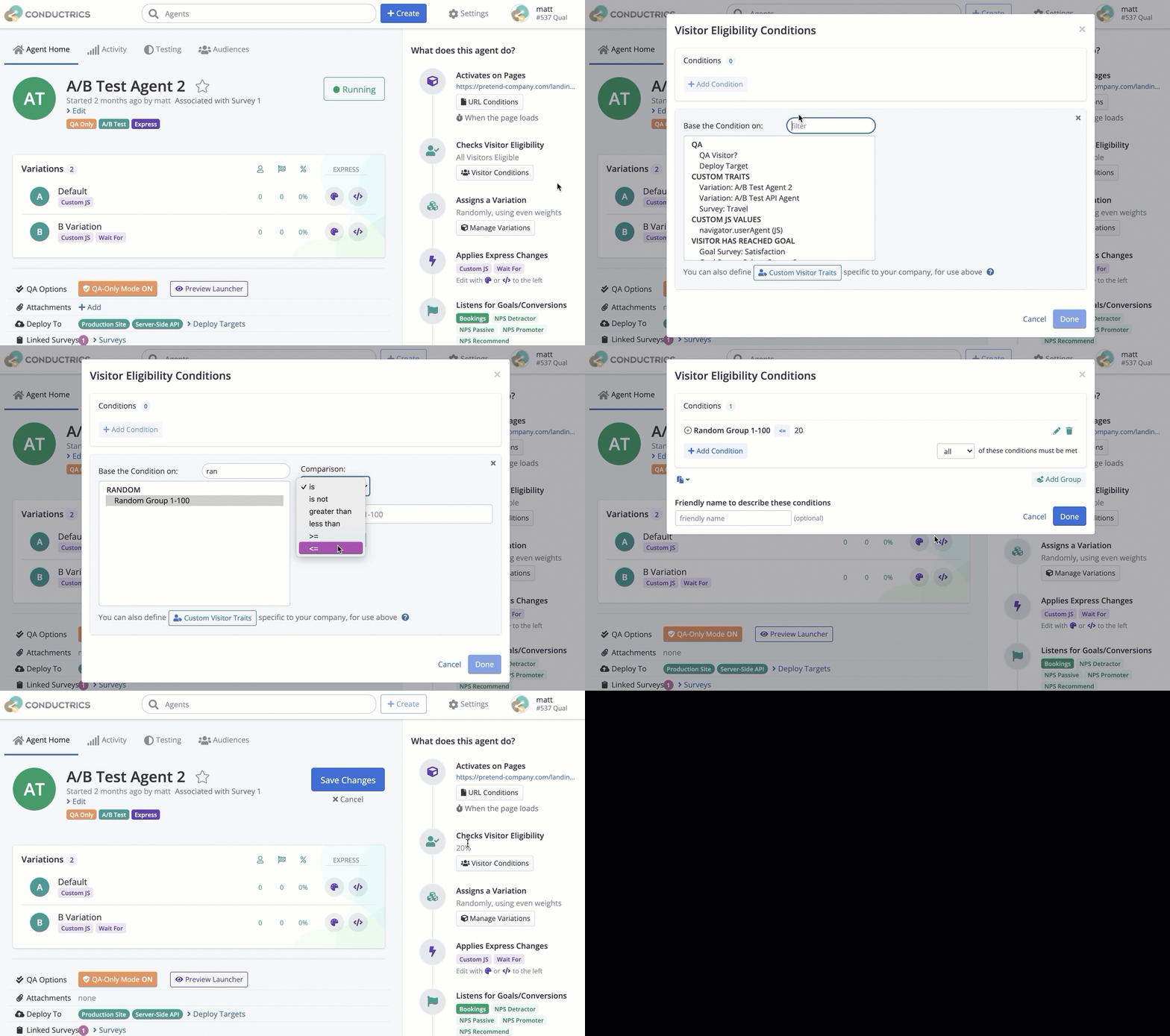
Adding a percentage-based eligibility rule
Adjusting the Variation Weights
To adjust the "weights" between the variations (how many of the "eligible" visitors get A vs B, etc):
- Create your Conductrics Agent if you haven't already.
- Click "Manage Variations" in the right margin.
- Check the "Custom Weights" switch, then provide the weights you want as shown in the screenshot below.
- Click Done, then Save Changes.
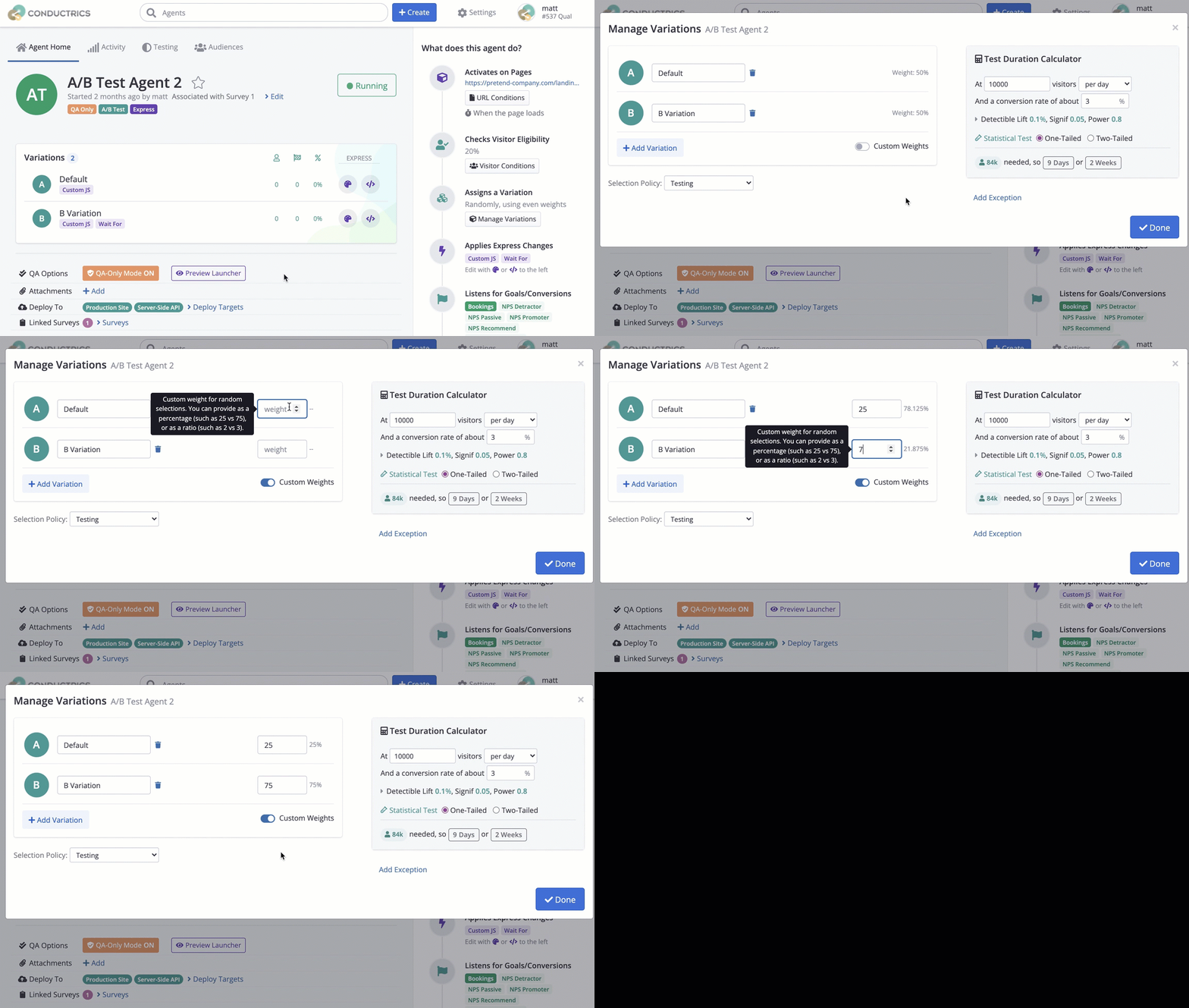
Adjusting the weights between your variations
You can provide the weights in a "percentage" style, such as 25 and 75 as shown in the screenshot, or you can provide them in a "ratio" style, such as 1 and 4. Either would result in about 25 out of every 100 "eligible" visitors getting A, and about 75 out of every 100 getting B.
Updated over 1 year ago
Did this page help you?