
iOS On-Device API
SDK vs REST APIThese instructions are for our iOS Native "SDK", which make selections for your Conductrics agents locally (on the device). Due to the local processing, response times are fast and work offline.
That said, if you prefer to work without an additional SDK dependency, you are free to use our REST-style API from your iOS app. Check out the Swift/iOS via REST Helper library, and Options for Mobile for an overview.
Overview
To use our iOS Framework in your project, you must:
- Create an appropriate Distribution from our console
- Download the Conductrics Framework into your Xcode project
- Invoke the Framework from within your iOS Application.
Installation
Here you will learn how to install our SDK in your project, after creating the appropriate Distribution.
This documentation was created as of SDK version 1.1.0.
Creating a Distribution
A Distribution is a bundle of all the relevant agents for one platform, with all their associated rules and data. It will be consumed later by our iOS Framework/Library, once you install it in your project.
To create one, go to Settings > Distribution > Add Deploy Target > iOS Native
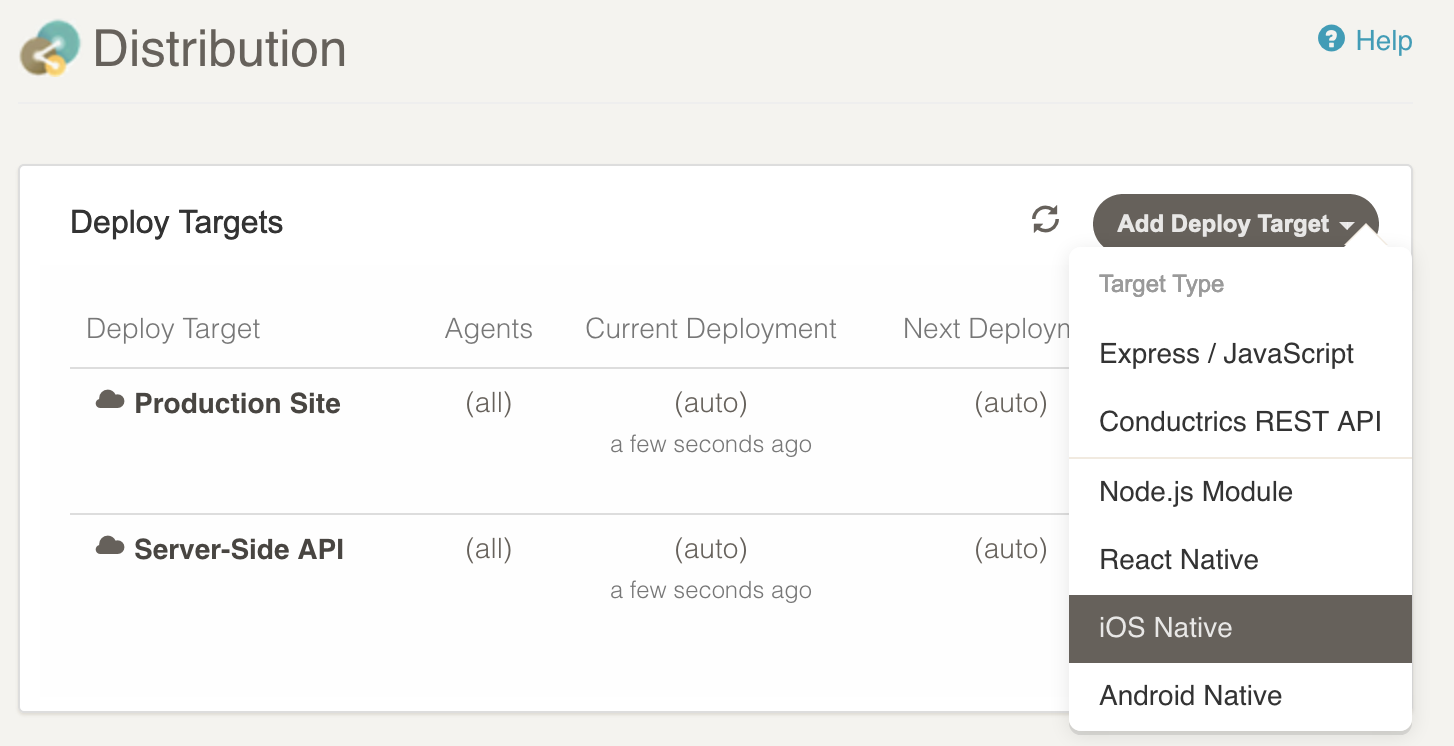
The default options should be fine for your first Distribution.
On the iOS Native tab, use the Download Conductrics Framework link to download the Framework file you will use in your Xcode project.
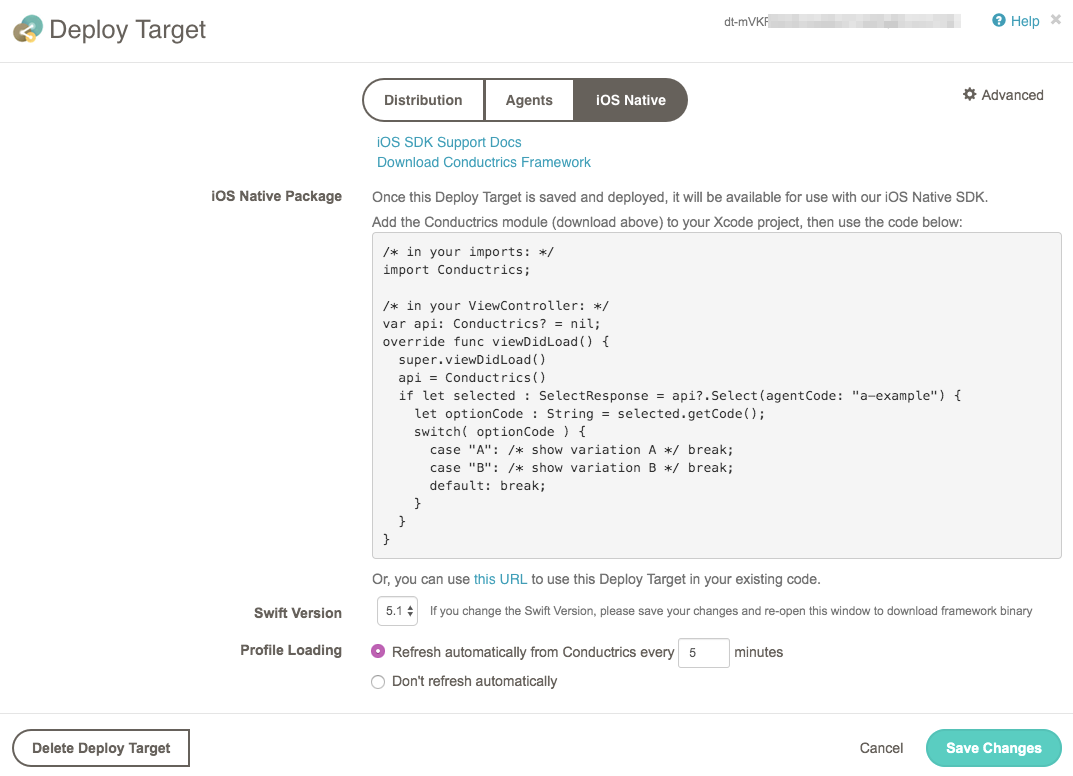
The Download Conductrics Framework link should download a file named Conductrics-1.1.0-202012311231.xcframework.tgz (or similar).
In the filename, the "1.1.0" part is the version of the Swift code inside the Framework. Also bundled inside is all the agent data associated with your iOS Native Deploy Target. The larger number, "202012311231" here, is the date and time when that agent data was collected and packaged, in the format "YYYYmmddHHMM".
Double-click the downloaded file in Finder to extract a Conductrics-1.1.0.xcframework folder, which you will add to your Xcode project.
Adding the Framework to your Xcode Project
In this section, we will be using a sample project named "Example", that produces one target, the "Example" App.
From inside Xcode, select the main "Example" Project on the left, select "Example" again under TARGETS, in the middle.
Drag the "Conductrics-1.1.0.xcframework" folder into the "Frameworks, Libraries, and Embedded Content" section:

Using the SDK
Here is some sample code for using the Conductrics Framework.
import UIKit
import Conductrics

class ViewController: UIViewController {

    var api: Conductrics.ClientApi!;

    @IBOutlet weak var txtHeadline: UILabel!
    @IBOutlet weak var btnReset: UIButton!

    private let agentCode:String = "a-example";
    private let goalCode:String = "g-example";

    override func viewDidLoad() {
        super.viewDidLoad();
        api = Conductrics.ClientApi();
        applyChanges();
    }

    private func applyChanges() {
        if let selection : SelectResponse = api.Select(agentCode: agentCode) {
            let optionCode : String = selection.getCode();
            switch( optionCode ) {
            case "B":
                txtHeadline.text = "This is an improved headline! (B)"
                break;
            default:
                txtHeadline.text = "This is the default headline. (A)"
                break;
            }
        }
    }

    @IBAction func onClickReset(_ sender: Any) {
        api.clearSession()
        applyChanges()
    }
    @IBAction func onClickReward(_ sender: Any) {
        api.reward(goalCode: goalCode)
    }

}
There is paste-able sample code available on the iOS Native tab of the Distribution page.
API Interface
interface Conductrics {
  /* select an option code for one agent for this session */
  func Select(agentCode: String) -> SelectResponse?
  /* deprecated */
  func select(agentCode: String) -> String

	/* reward one goalCode for this session */
	func Reward(goalCode: String, value:Double = 1.0) -> GoalResponse?
  /* deprecated */
  func reward(goalCode: String, value: Double = 1.0)

	/* exec any Runtime API command */
	func Exec(commands: Array<NSDictionary>) -> ExecResponse?
  /* deprecated */
  func exec(commands: Array<String>) -> JSValue?

	func setSessionTraits(traits: Array<String>);
	func setSessionIP(ip: String);
	func clearSessionTraits();
	func clearSessionIP();
	func clearSession();
	/* clearSession resets all prior selections, rewards, traits, and ip address */
}

interface SelectResponse {
  func getCode() -> String /* the code of the selected option */
  func getPolicy() -> String /* the policy name that was used, eg "random" */
  func getMeta(String key) -> String? /* any metadata value returned */
}

interface GoalResponse {
  func goalCode() -> String /* which goal code was this reward sent */
  func acceptedValue(agentCode: String) -> Double /* how much was accepted */
}

interface ExecResponse {
  func getSelection(agentCode: String) -> SelectResponse?
  func getReward(goalCode: String) -> GoalResponse?
  func getTraits() -> [ String ]
}
The exec() function supports all the message types documented in the Runtime API Reference: https://support.conductrics.com/docs/runtime-api-commands
Setting Traits for a User
First, you must have some custom Traits that are known to the system, and applied to your agent(s).
Go to "Settings > Visitor Data > New Custom Group".
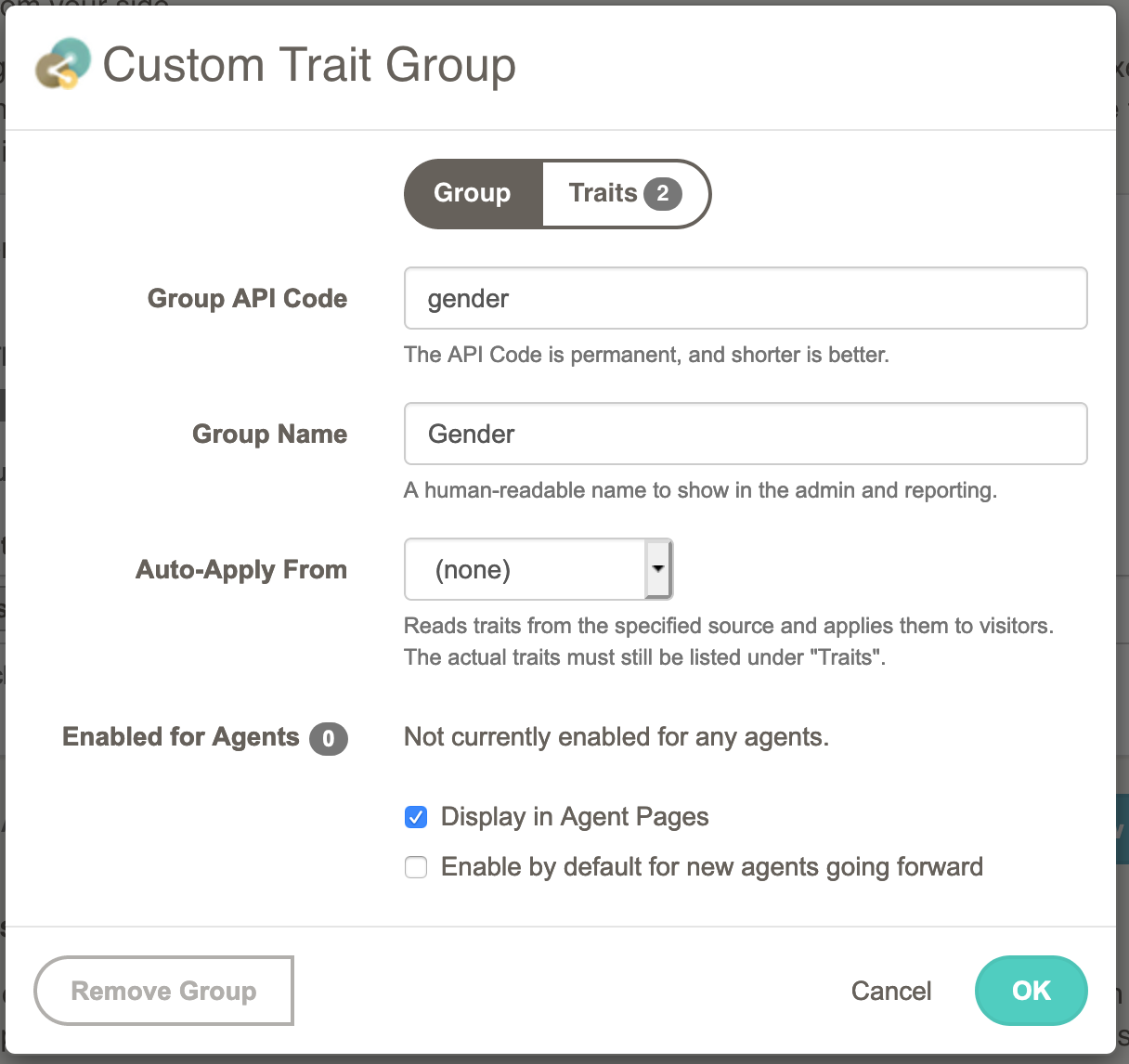
In this example group, we will be able to specify a user's gender, if known.
Click OK here, then Save Changes on the Visitor Data page.
Now the system knows about the new traits, and we just need to associate them to our agent.
Go to your Agent Home (click the Agent name under AGENTS on the left).
From Agent Home, click "Edit Agent", and scroll down to the Visitor Traits section.
Make sure the new "Gender" trait is selected.
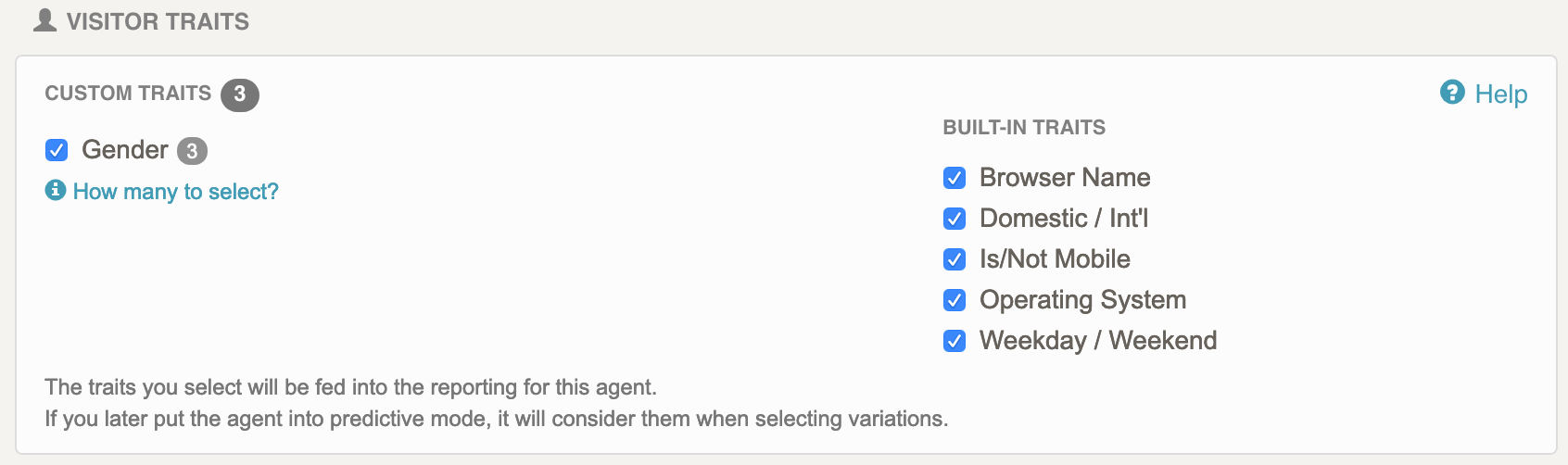
Click Save Changes for your Agent, then we are ready to use this new Trait from the iOS SDK.
let api : ClientApi = Conductics.ClientApi()

api.setSessionTraits(traits: ["gender:X"])

let option : String = api.Select(agentCode: agentCode)?.getCode() ?? "A";
Changelog
1.0.5
-
Changed:
api.Selectnow returns a SelectResponse object, instead of a string.- SelectResponse supports:
- getCode() - returns the string code of the selection option
- getPolicy() - returns the policy used to make the selection.
- one of: "paused", "random", "adaptive", "fixed", "control", "sticky", "bot", or "none"
- getMeta(key) - returns any meta-data specified for the selected option in the console.
- SelectResponse supports:
-
Changed:
api.Rewardnow returns a GoalResponse object, instead of void.- GoalResponse supports:
- goalCode() - returns the goal code from the request
- acceptedValue(agentCode) - returns the value accepted by the specified agent, usually
1.0if accepted.
- GoalResponse supports:
-
Changed:
api.Execnow returns an ExecResponse object, instead of a JSValue.- ExecResponse supports:
- getSelection(agentCode) - returns a
SelectResponseobject (if theExecrequested a selection for this agent code). - getReward(goalCode) - returns a
GoalResponseobject (if theExecsubmitted a reward for this goal code). - getTraits() - returns an array of strings, all the trait codes considered when making this selection.
- getSelection(agentCode) - returns a
- ExecResponse supports:
Updated over 1 year ago