
Limiting Express
For more control over what can and can't be done with Conductrics Express.
Depending on your company's needs, you may want to allow some people to use Conductrics Express, but in a limited fashion. This may be for compliance reasons, or because you don't want non-technical users to be able to set up ad-hoc tests or optimizations without technical oversight.
Here are some options you can consider:
- You could "Blacklist" certain types of Express changes, such as the ability to add or change arbitrary HTML, as discussed below. For instance, you might want to prevent the addition of arbitrary HTML or JavaScript, but allow text and image changes.
- You could use manual deployments, as discussed on the Deployment Options page in these docs. You can use manual deployments and/or self-hosting to allow most users to set up Express agents, but without the ability to "push them live" into your live/production site; someone else with the Account Admin role would need to log into Conductrics to actually deploy any new or changed tests/agents. You can also add a 2FA step as discussed under Two-Factor Deploys.
- Your technical team could write Express Macros to give your non-technical users the ability to create custom "templated" agents that you pre-define. Macros can help empower these users to launch tests or optimizations on their own, but with "guard rails" so your company doesn't need to worry about them changing the wrong elements on the page. See Express Macros and this blog post for more details.
You could pursue just one of the above strategies, or combine them. Please feel free to reach out to Conductrics to discuss.
Blacklisting Express Change Types
You can "Blacklist" certain types of Express changes.
For instance, you could blacklist the ability to add or change arbitrary HTML or insert arbitrary JavaScript. That would allow people to set up Express agents that change text or the attributes/styles of existing elements on a page, but not give them the ability to create new areas of the page. Such a configuration could make it possible for teams to run the tests or optimizations that they want, without risking compatibility problems with your site's core functionality or architecture.
The blacklist affects all users in your account, regardless of role/permission level.
To prevent Express Changes using the blacklisting option:
-
Go to Settings > Users / Teams in the Conductrics Admin.
-
Under Express Page Editing Blacklist, check the Express change types that you would like to disable, then hit Save Blacklist.
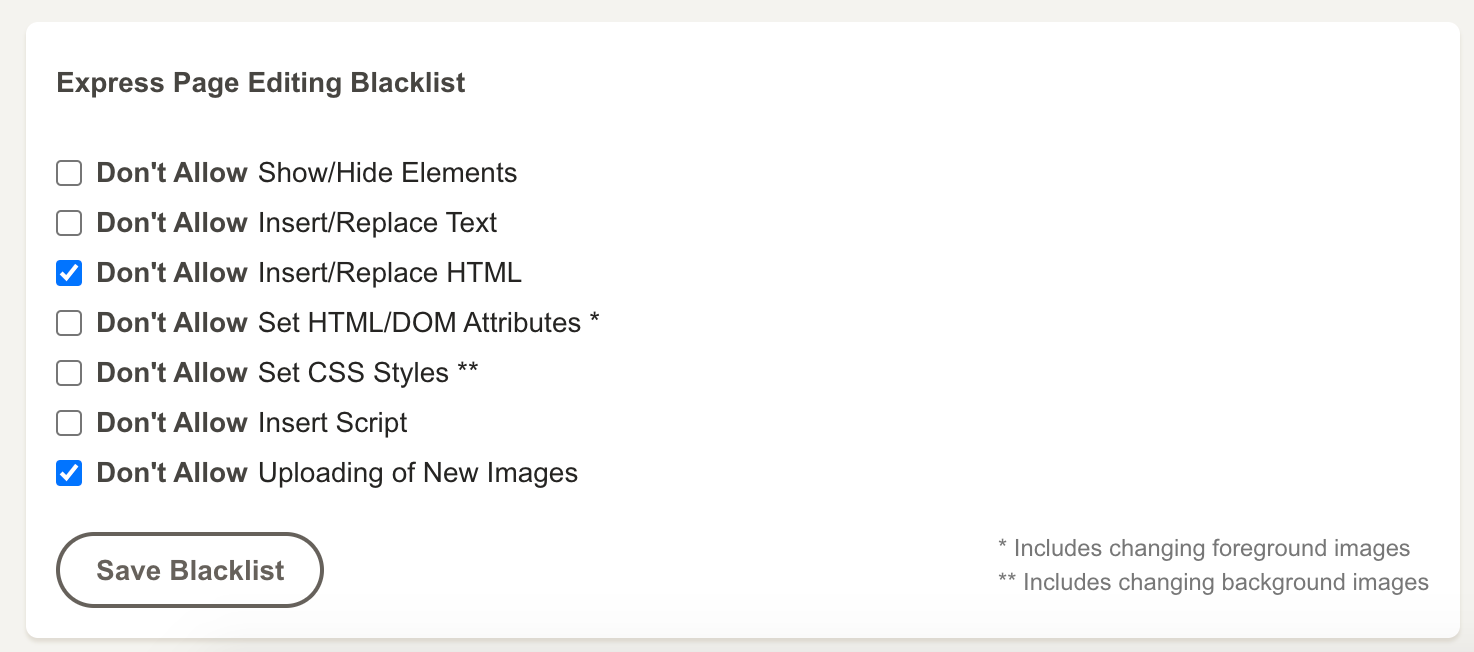
"Blacklisting" certain Express edit types
You must have the Account Admin role to make changes to the blacklist. Make sure that only the appropriate people have the Account Admin role, otherwise they could revert your blacklist selections.
Blacklisting affects existing agents as well; any blacklisted change types will be stripped out of the JavaScript that gets loaded onto your pages. (If you are using a manual deployment option, the blacklisting within existing agents will take effect at the next deploy.)
Updated over 1 year ago