
Starting an Express Test
After you've set up a test (which means you've set up the Page Changes that should be made, and the Goal Events that the test should be listening for), your test's agent will be waiting with status Stopped.
To start the test, click on the status button at the top of the agent's home page (or in your agent list), and choose Start.
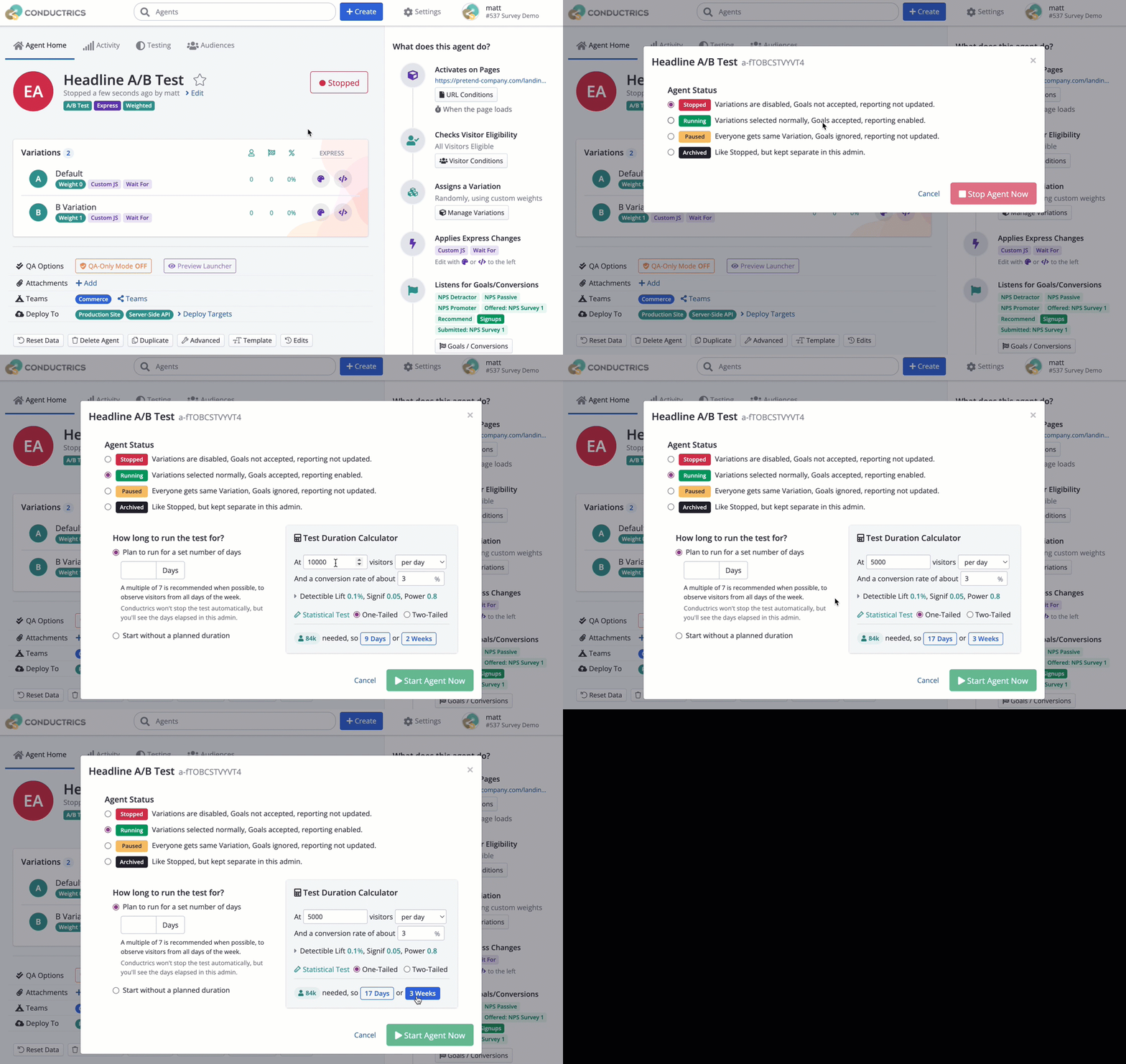
You'll be presented with a Test Duration Calculator, asking you to establish how many days to run the test for. That's explained below.
But first a bit of theory.
How Long Should a Test Run For?
Running experiments is a great way to learn which user experiences have the most impact on your business objectives. While setting up an A/B or MV test can take just a few minutes, it is worthwhile to first step back and consider the following before you run any test.
What are you trying to achieve?
It is important to have well defined objectives for your test. For example, increase the number of new members or increase the number of users who download our white paper. We call these objectives Goals. Goals can be the following:
a. Achievement Goals: The customer either achieves the goal or not. These either/or goals only fire up to one time per customer session. An example would be a customer signing up for a new account.
b. Count Goals: Goals that can be triggered multiple times per session. Examples of count goals would be something like number of videos watched, or pages viewed.
c. Metric Goals: These are goals that have a numeric value attached to them. A typical example would be a purchase/checkout event in an e-commerce site, with the value of a shopping cart passed as the metric value.
Regardless of the type, you will need to set at least one goal per test.
What are the alternative experiences you want to test?
Consider the impact of changes you make to the user experience. What types of changes might make a difference to how often your customers achieve the goals you have set for the test? It is often useful to write down how much impact you think the alternative experience might have beforehand. That way you can see, after the test is run, how in line with expectations the results are. In the long run, this can help your organization design experiences that tend to really make a difference.
How long should the test run for?
Part of good test design is to establish, before launching a test, the time that the test will run for.
Why is this so important? Well, in a very real sense how long the test runs (which is another way of saying how many customers enter the test) is what determines how precise the test is in discerning difference in customer behavior.
You can think of a test like a type of microscope. Tests with fewer observations have lower precision, and are more like the optical microscopes you used in high school:

By Moisey - File:Optical microscope nikon alphaphot.jpg, CC BY-SA 3.0, https://commons.wikimedia.org/w/index.php?curid=7011479
If you need to find really, really small differences, you will need something with much greater precision, like this Electron microscope:
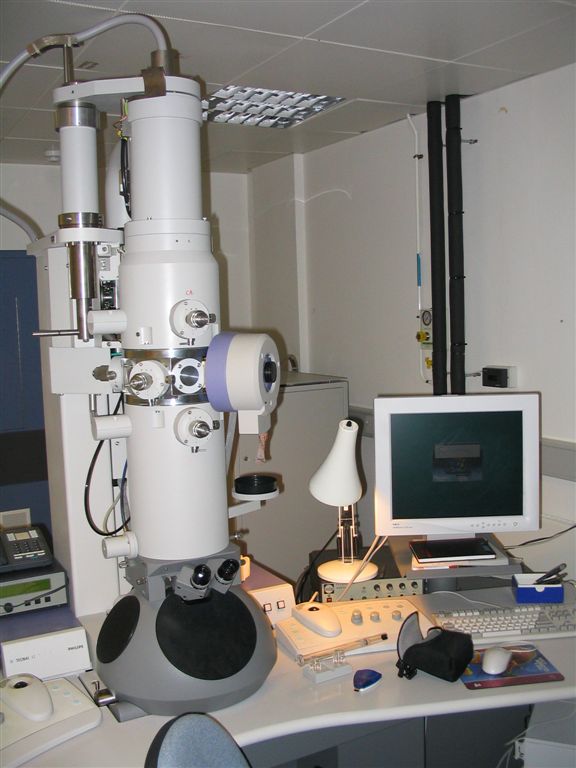
The amount of data you decide to collect beforehand is kind of like deciding what type of microscope you will need to see the results. If you think the effect of your test will be really big, you can opt to collect less data. However, if your intention is to detect really small differences, you are going to have use a more precise test, and collect much more data. To determine how much more data you will need, you can use our built-in duration calculator.
Filling Out the Test Duration Calculator
The duration calculator will give you a recommend duration to help ensure your test has the precision you need.
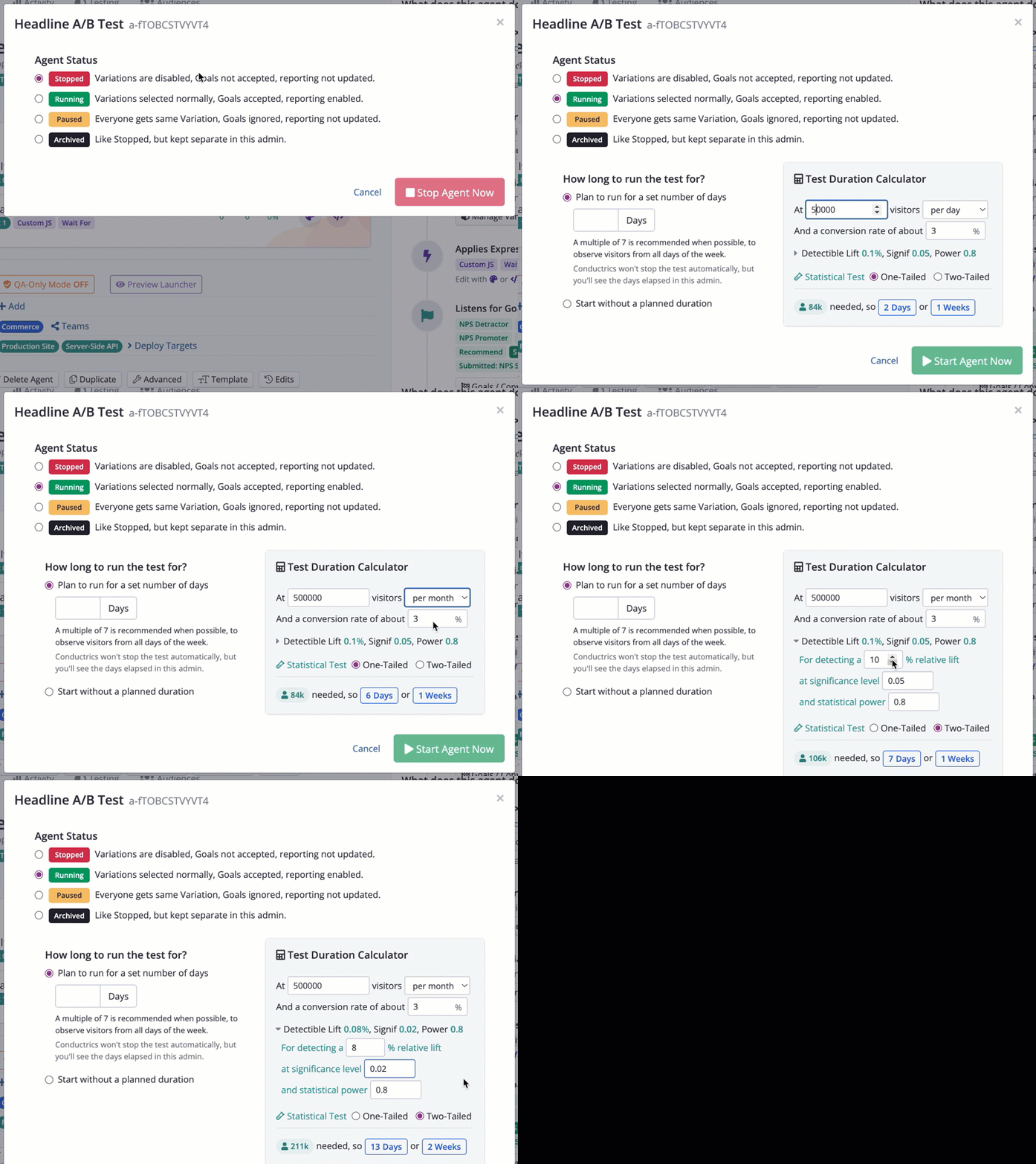
What you will need to fill out the calculator:
- An estimate of how many visitors will enter the test. You can specify per day, week, or month.
- An estimate of the average conversion rate, or average value, of your goal(s). You can often get this from your analytics tool (Google Analytics, Omniture, etc).
- How much of a lift you want to be able to discern? The smaller this value, the more data you will need. For more background on why this is the case please see: Easy Introduction to AB Testing and P-Values.
- At what significance and power? These are more advanced options, and in most cases the default values are fine to use.
After you input these values, you will be given recommendations on how long to run the test for in both number of days and rounded up to full weeks. When possible, we recommend you run the test in weekly units to minimize the effect of hourly and daily differences in conversion rates.
Estimate the Payoff of the Minimum Lift
You should always consider what will be the marginal value of a positive result, given the precision of your test. In other words, you should be able to estimate, even if it's very rough, how much additional value your organization will realize if you find a positive result in your test based on the minimum lift of the test.
For example, say you set up your test to be able to discover a lift of 10%. You should be able to answer what the value of that additional 10% will be over a specified future time period. So, let's say the existing process yields 100 conversions a week. The new approach, if it yields a 10% lift, will give us 110 conversions a week. You must then ask, are these 10 extra conversions a month going to be worth the effort to even bother running the test?
If each conversion is worth $100, then perhaps $1,000 extra a week will be enough to warrant the time and effort for a test. But what if each conversion is just worth $0.10? That is just $1 extra a week, $4 extra a month, $52 extra a year. So even if you do have a positive result, running the test will probably still be a total waste of time. Thus, at a minimum, make sure you always ask, and agree, what the value of a positive result will be.
Now that you are ready, let's go test!
Updated over 1 year ago