
Bypass Mode for REST API
Sometimes, you may want something like an "off switch" for your site or app's usage of the Conductrics REST API.
For instance:
- Perhaps there is a large, brief external event (for instance "Black Friday" for an e-commerce site, or a major election day for a news site, etc), and you've decided that your visitors during the event are likely to be non-representative of your normal visitor base, so you want to "pause" your normal testing program.
- Or, perhaps you expect a very high level of traffic for a few days, and are concerned about some kind of overage costs from Conductrics (though please feel free to contact us to discuss).
- Or perhaps you have noticed some kind of bug or problem and just want to "shut off" the REST API for the moment.
While we can't keep your site or app from calling the REST API (that would need to happen on your side, by disabling or removing the "calls" to the API), we do have a "Bypass Mode" which is meant to be the next best thing.
Bypass Mode is only for the REST API. If you're using Conductrics in a web page via Conductrics Express, you can just stop or pause any running agents, which would be roughly equivalent.
Turning on Bypass Mode
In the Conductrics Admin:
- Go to Settings > Deploy Targets.
- Hit Setup for your REST API Deploy Target (there may be more than one, perhaps for different apps or for Staging vs Production - see Deployment Options).
- Check Use Bypass Mode for REST API Endpoint and save your changes.
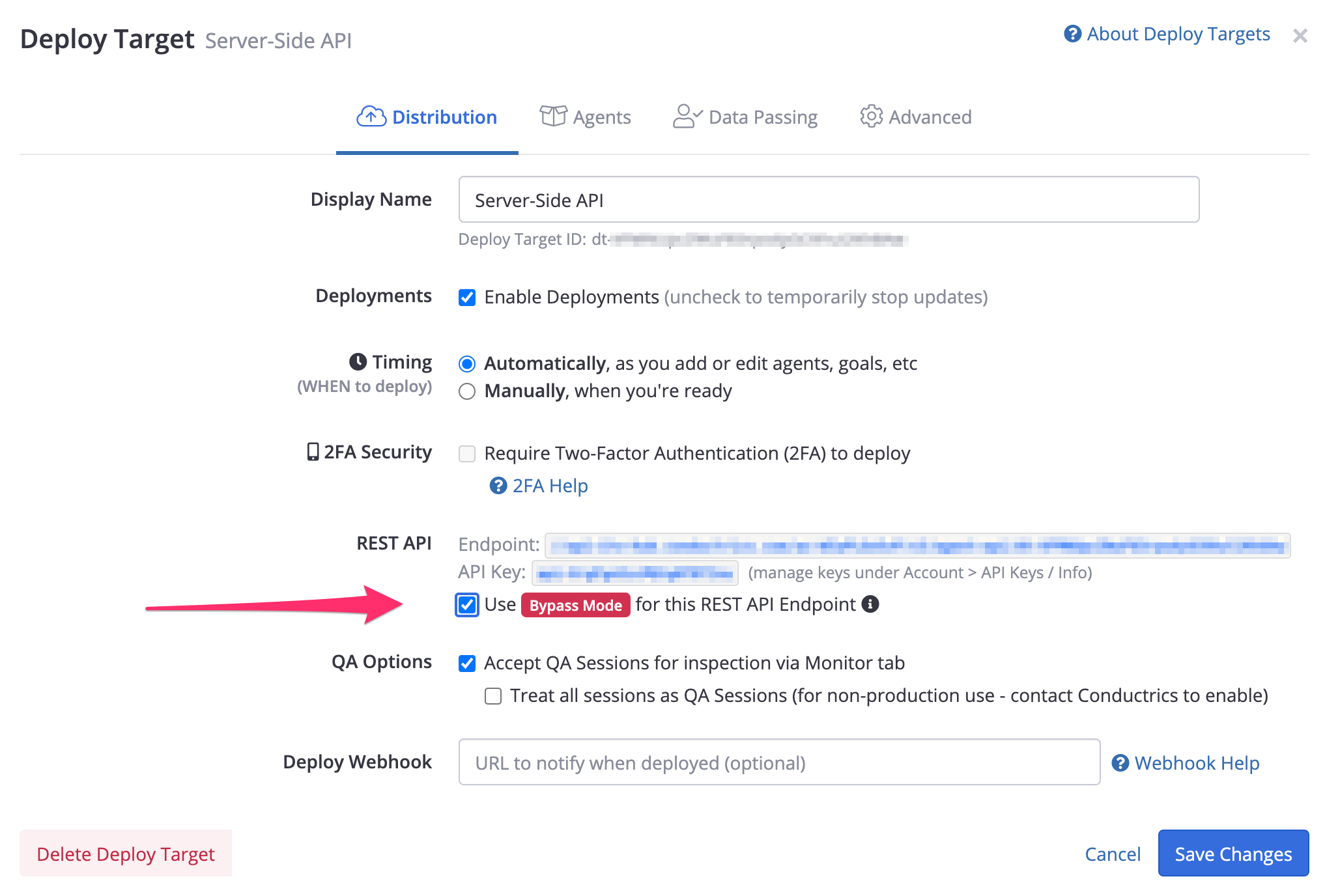
Enabling Bypass Mode
Bypass Mode is available in Conductrics 4.7.4 and higher. Contact Conductrics if you're on an earlier version due to your company's preferences about updates.
What Happens in Bypass Mode?
When you call the REST API while Bypass Mode is active, Conductrics will reply with responses that look "normal" (so that your site or app can continue to work as expected), but hardly do anything.
When requesting a variation selection for your Conductrics Agents:
- Conductrics will ALWAYS return the default (first) variation for any Running agent.
- Conductrics will ALWAYS return the "paused at" variation for any Paused agent.
- Conductrics will NEVER honor any Conditions, so ALL visitors will qualify.
In addition, all data collection is disabled, meaning that:
- Conductrics will ALWAYS ignore any goal/conversion events.
- Conductrics will NOT update the numbers in the Activity Report or any other reports.
- Conductrics will NOT send any new events via Analytics Connectors.
We of course do not know exactly what you are doing on your side with our responses, but in most cases this all means that your site or app will basically behave as if Conductrics wasn't involved. And because all Targeting/Conditions are ignored and the responses are essentially "hard-coded", we don't need to charge you for normal API usage.
Please contact Conductrics if you have any questions about what happens in Bypass Mode.
All Conditions Are Ignored! All Visitors Qualify!It's important to understand that when Bypass Mode is active, Conductrics is intentionally doing nearly no processing. Any Conditions that you may have on your agent will NOT be evaluated. This means that ALL VISITORS QUALIFY and will get the "default" (first) variation for a Running agent, or the "paused at" variation for a Paused agent), even if they would not normally "qualify" for "entry" into your test or optimization. Feel free to contact Conductrics if you have any questions!
As noted above, none of the normal reporting will be updated while Bypass Mode is active. If you need an understanding of the traffic being served via Bypass Mode, you can look at the Usage Stats mini-report from the main Agent List page of the Conductrics Admin. The "REST API Command Batches (Bypass Mode)" item there will reflect the approximate number of API calls that were processed. Please note that this is just the number of API call, not the number of agents/goals in each API call (eg, if your app requests three agent selections in one API call, it is counted once for the purposes of this particular number.
Updated over 1 year ago