
Other Analytics Services
Conductrics has a built-in Google Analytics Integration.
It also has built-in Data Layer Support which you can use to integrate with various third-party analytics systems, especially if you use Google Tag Manager (GTM).
In cases where neither of the above are good fits for your implementation, you can also write a few lines of JavaScript to connect your Conductrics agents to other analytics systems.
The technique explained here works in the browser, so it works for Conductrics Express and the Local JavaScript API. It doesn't work for our REST API at this time.
Adding a selection callback handler
To get started, go to Settings > Distribution in the Conductrics Admin, and hit Setup for the Deploy Target you're using. If you're just getting started, it's probably called Default Site.
Look for the JavaScript Preboot field, under the Express tab:
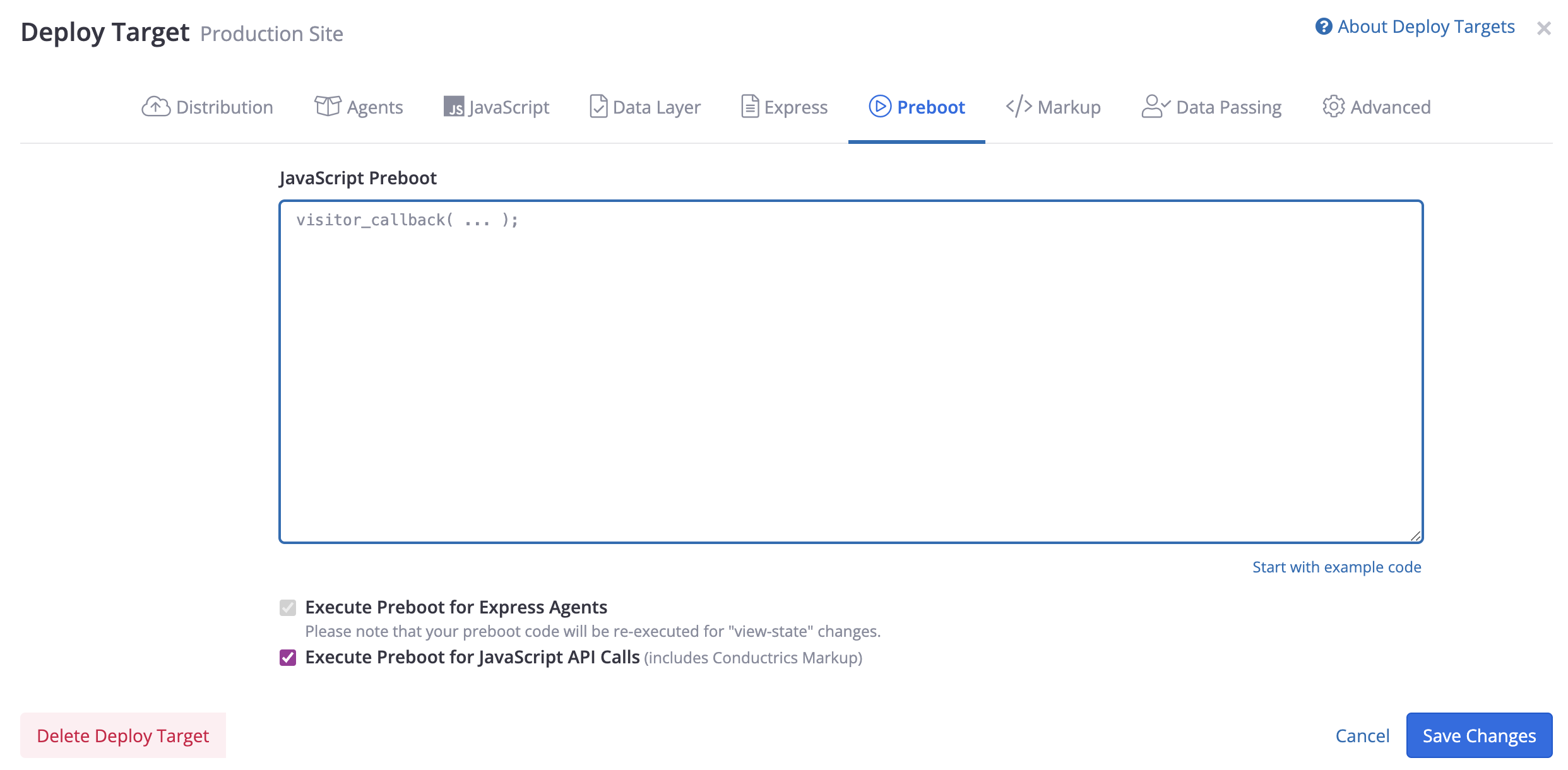
This Preboot field is simply a place where you can specify JavaScript code that Conductrics will execute during processing. There are two important things you can do here:
-
You can use the Preboot as a simple way to pass custom visitor traits to Conductrics. See Custom Visitor Traits for details.
-
You can use the Preboot to specify a selection handler function that Conductrics will execute whenever one of your agents selects a variation for a visitor. You can use this to pass the selected variation along to a third-party analytics service (Google Analytics, MixPanel, Adobe Analytics, Kissmetrics, etc).
To provide a selection handler function, you'll start with code like this:
visitor_callback(
  {}, // visitor traits (optional, not providing in this example)
  // options
  {
    // selection callback function - executes when agents select variations
    selection_callback: function(sels, agent) {
      // YOUR CODE HERE
    }
  }
)
Your selection_callback function will be executed when an agent displays/selects a variation for a visitor. Two arguments are passed to the function at runtime:
-
A
selsobject, which contains information about each variation selection that has been made for the visitor. Please note that the object may contain information about agent selections from other pages, and agents that are no longer running. -
An
agentcode, which identifies the agent that just made a selection.
The sels object contains an entry for each agent that has made a selection. Let's say you have an agent with code agent-1, with variations called A and B. The sels object will look something like this:
{
  "agent-1": {
    "c": "B" // the variation that was selected
    "p": "r" // the selection policy that was used (r for random, etc)
  }
}If your Deploy Target has the Include Friendly Agent & Variation Names option turned on (under the Data Layer tab), the object shown above will also include
a_nameandc_namefor the friendly names of the Agent and Variation, respectively.
In some cases you may need to change the agent code as it is reported to the
selection_callbackas shown above, perhaps to conform to a naming convention. While you can't change the agent code after an agent has been created, you can provide an "alternate" agent code which will be used instead of the "real" agent code (such asagent-1above). Go to Advanced Settings on the agent's page, and add your alternate identifier via the Alternate Agent Code/Identifier for Analytics / Data Layer setting.
In most cases, you only care about the c property for each selection, which indicates the variation that was selected ("A" or "B", etc). You now generally can pass the selected variation(s) to whatever third-party or other system you need to with a couple of lines of code.
In some cases you may want to look at the p property, which will be r for "random" in a simple A/B test, or one of the other Selection Policies in other scenarios.
If there are two agents running on the page, the
selection_callbackfunction will be executed twice, one for each agent. If there are no agents running on the current page, theselection_callbackfunction is not executed at all.
Please note that the
selsobject passed to theselection_callbackcontains information about each variation selection that has been made for the visitor. It may contain information about agents on other pages, and agents that are no longer running.
Example: Adobe Analytics
Let's say you've decided that you want all variation selections made by Conductrics agents to get fed into eVar9. The following example uses the sels object to quickly assemble a little string which contains the agent code and variation code for the selection that has just been made. The resulting string is then passed to Adobe as eVar9.
visitor_callback(
  {}, // visitor traits (optional, not providing in this example)

  {
    selection_callback: function(sels, agent) {
      var str = agent + ":" + sels[agent].c + ";"
      // set your eVar to the resulting string
      s.eVar9 = str; // something like "agent-1:B;"
   }
  }
)
The above example uses semicolons and = signs to create the final string that gets passed to the eVar, but you can of course alter the above code to assemble the string however you wish.
You can also tweak this example to use a different eVar, or to use an s.prop variable instead of an eVar, or to push the selections into s.contextData, and so on.
Updated over 1 year ago