
Activity Report
The activity report provides an accounting of all of the decision selections an agent has made across all of the decision policies
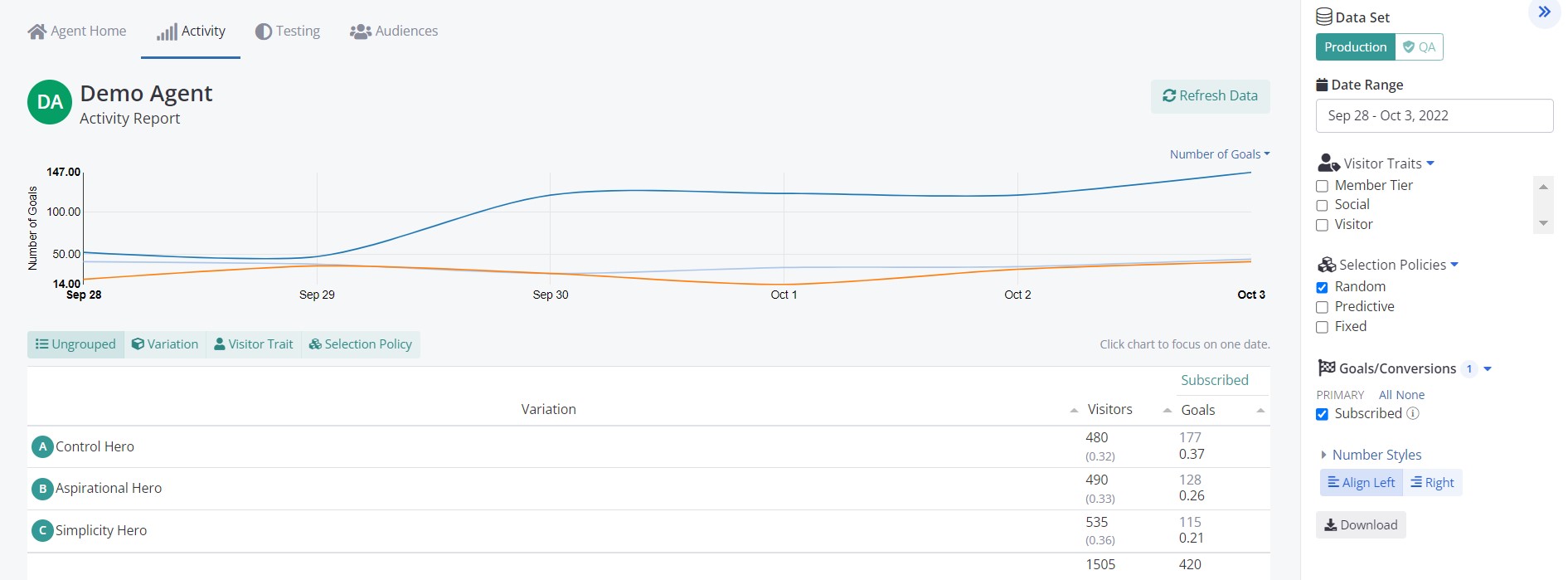
At the top of each activity report is a time series graph displaying the daily average value for each decision option.
Below the graph is a tabular display of the data aggregated over the selected date range. If there are Visitor Traits selected, the Activity Report will provide a break down for each one as well.
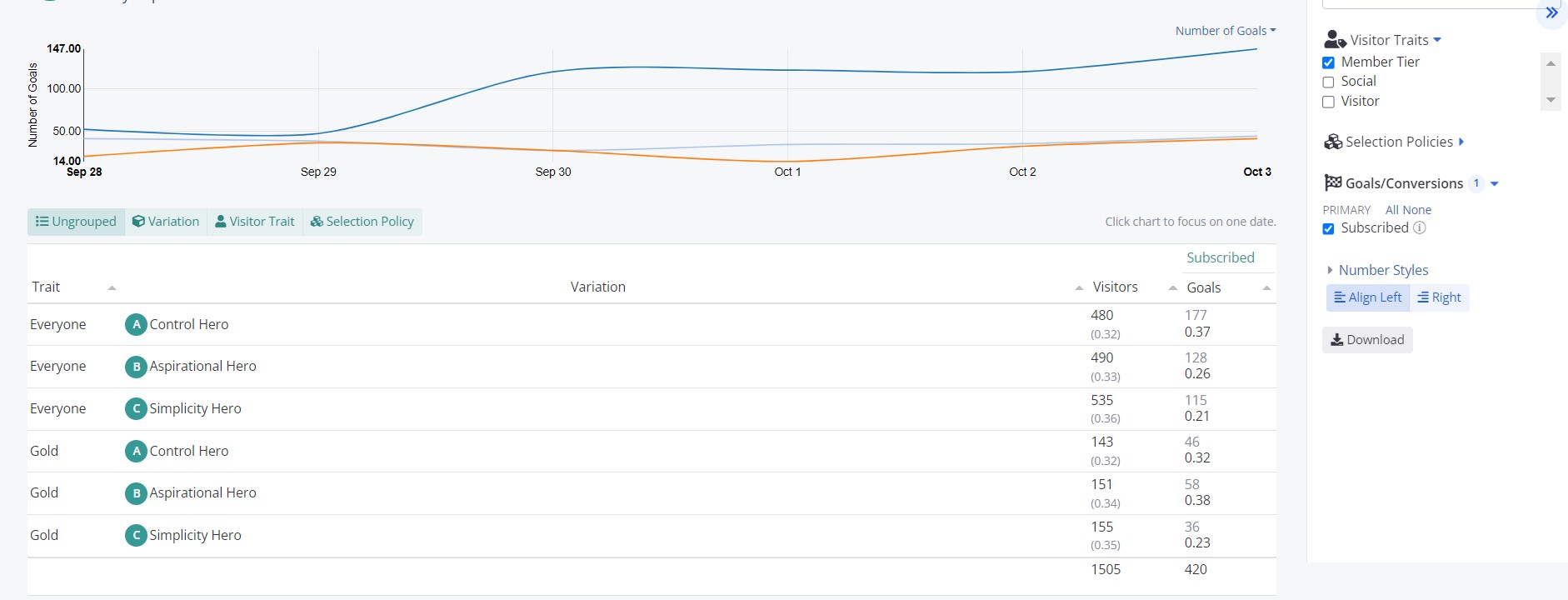
Right above the tabular display you have a horizontal bar with 4 options Ungrouped, Variation, Visitor Trait and Selection Policy. The default one, Ungrouped, will show a line for each option, one right below the other. Instead, selecting any of the other options, will group the rows.
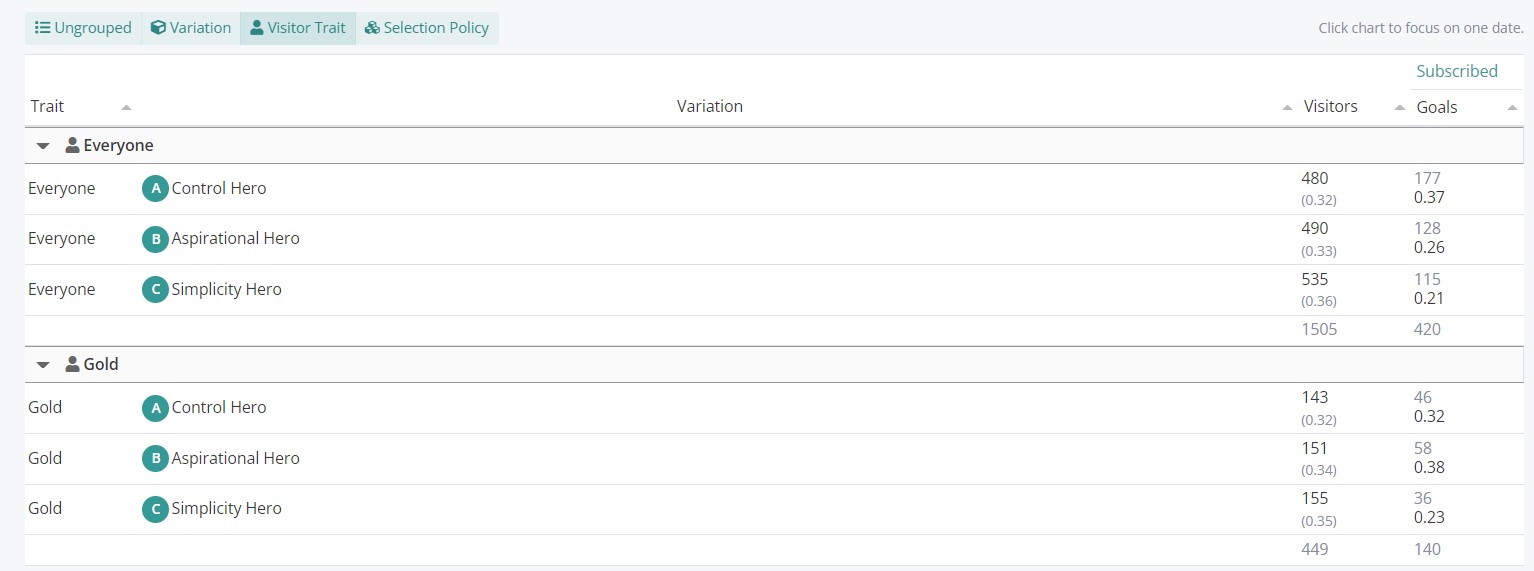
So using the above image as example, we added the Member Tier visitor trait, but left the tabular data as Ungrouped. If we now select the Visitor Trait option, it will display the data as below:
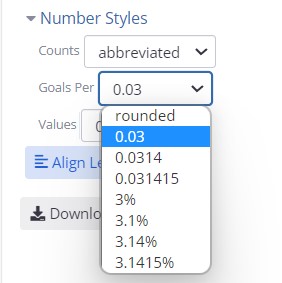
Another thing to note is that you can customize the number formatting depending on the type of conversion data (rates, monetary, count, etc.). You can do that from the Number Styles dropdown on the right sidebar. After you select the desired styles, make sure to click on Refresh Data on the top right corner of the time series graph to apply the selected styles.
The tabular data has the Policy field. There are currently four possible values for policy:
| Policy | Definition |
|---|---|
| Random | The selection was made based on the random policy of the agent. This is AB Testing / MVT policy. By default it will be a uniform random, but can be adjusted by the client using the probability weights. This policy is usually what one thinks of when performing experiments / AB Testing. |
| Prediction | The selection was made by Conductrics machine learning algorithm. Conductrics uses a version of Thompson sampling/Posterior distribution draws based on the predicted value of each option in the generated audiences (see: Audience Report). |
| Fixed | A client supplied decision rule. For example, if a rule 'VIPs'-> 'Option A' is created. Any time this rule is fired, Conductrics will store the selection and subsequent conversion under the 'Fixed' policy. |
| Control | There are times when it makes sense to have a separate holdout that randomly assigns users into the control experience. For example, we may want to ensure that a user gets the control experiences across multiple different agents. |
By separating the data by policy we ensure that one can isolate the effects from random testing, from Conductrics machine learning, and the client's domain knowledge encoded in the fixed rules. If these results were all pooled together it would be hard to separate the performance of each decision option from the effects of targeting (from both the predictive and fixed client rules).
For example the following report breaks out the randomly selected data from data collected under the Prediction policies
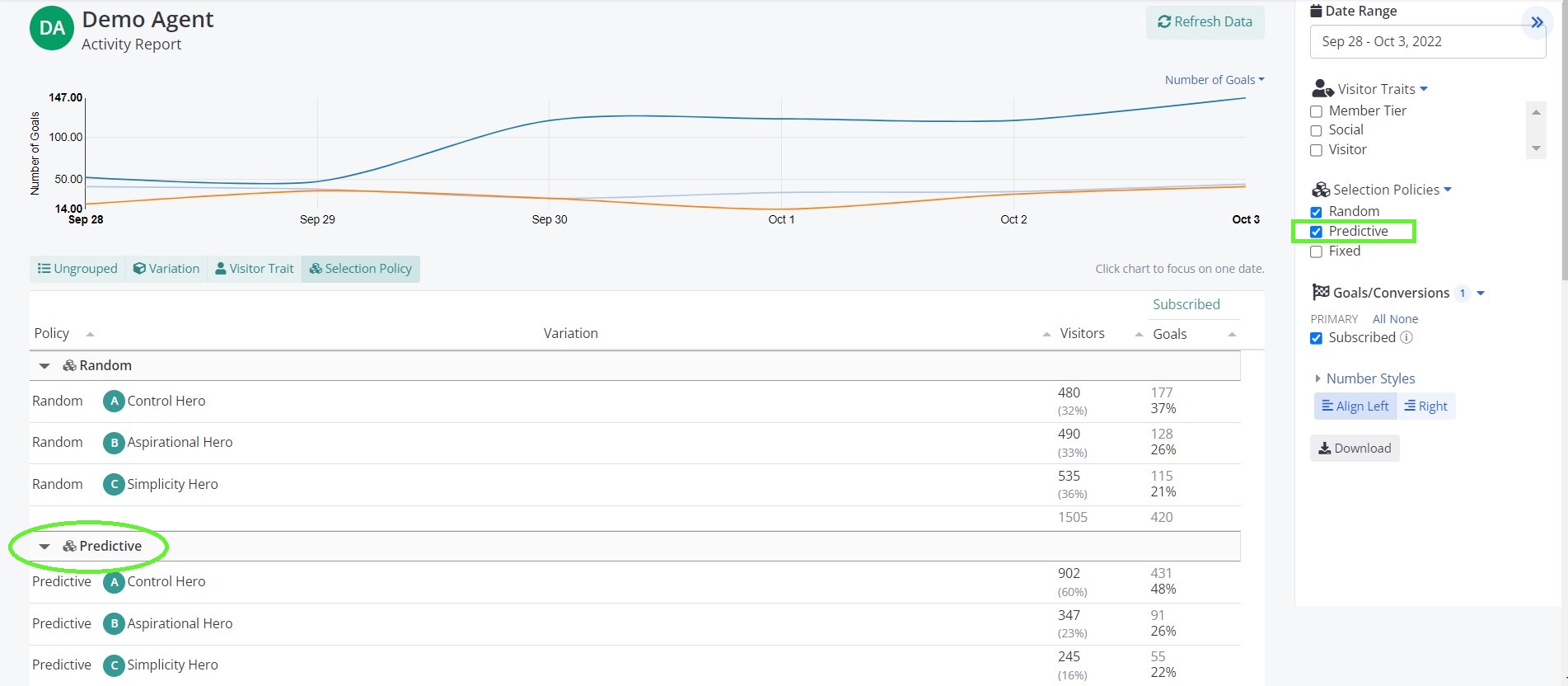
Notice that 'A' has been selected much more often under the Predictive policy and has a higher average value (47.78%) than under the Random policy (36.88%). This is most likely because Conductrics has found that certain customers respond much better to 'A'. To get more info on what options are working for whom, see the Audience Report.
Updated over 1 year ago