
Creating an Express Agent
In the Conductrics Admin, hit the Create button at the top of the page.
You'll now be guided through four steps:
- What's your overall objective?
- What are your variations?
- How do you want to implement?
- Name your Agent and finish up
Step 1: What's your overall objective?
The first step is where you tell Conductrics what you're looking to achieve:
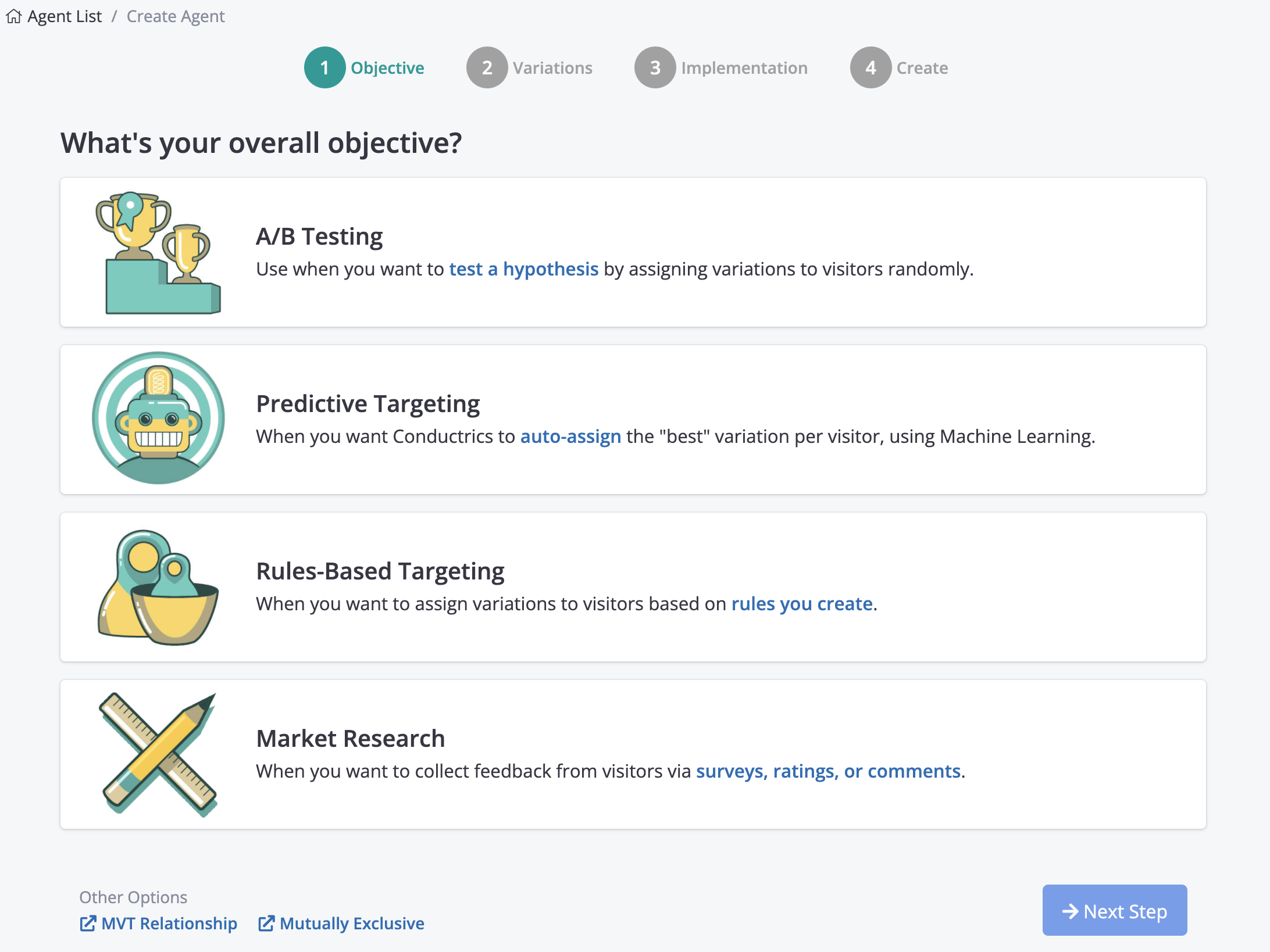
The most common objective is A/B Testing, where you create a few "Variations" and Conductrics takes care of randomly assigning a variation for each of your visitors.
Step 2: What are your variations?
Step 2 is where you tell Conductrics how many variations you need.
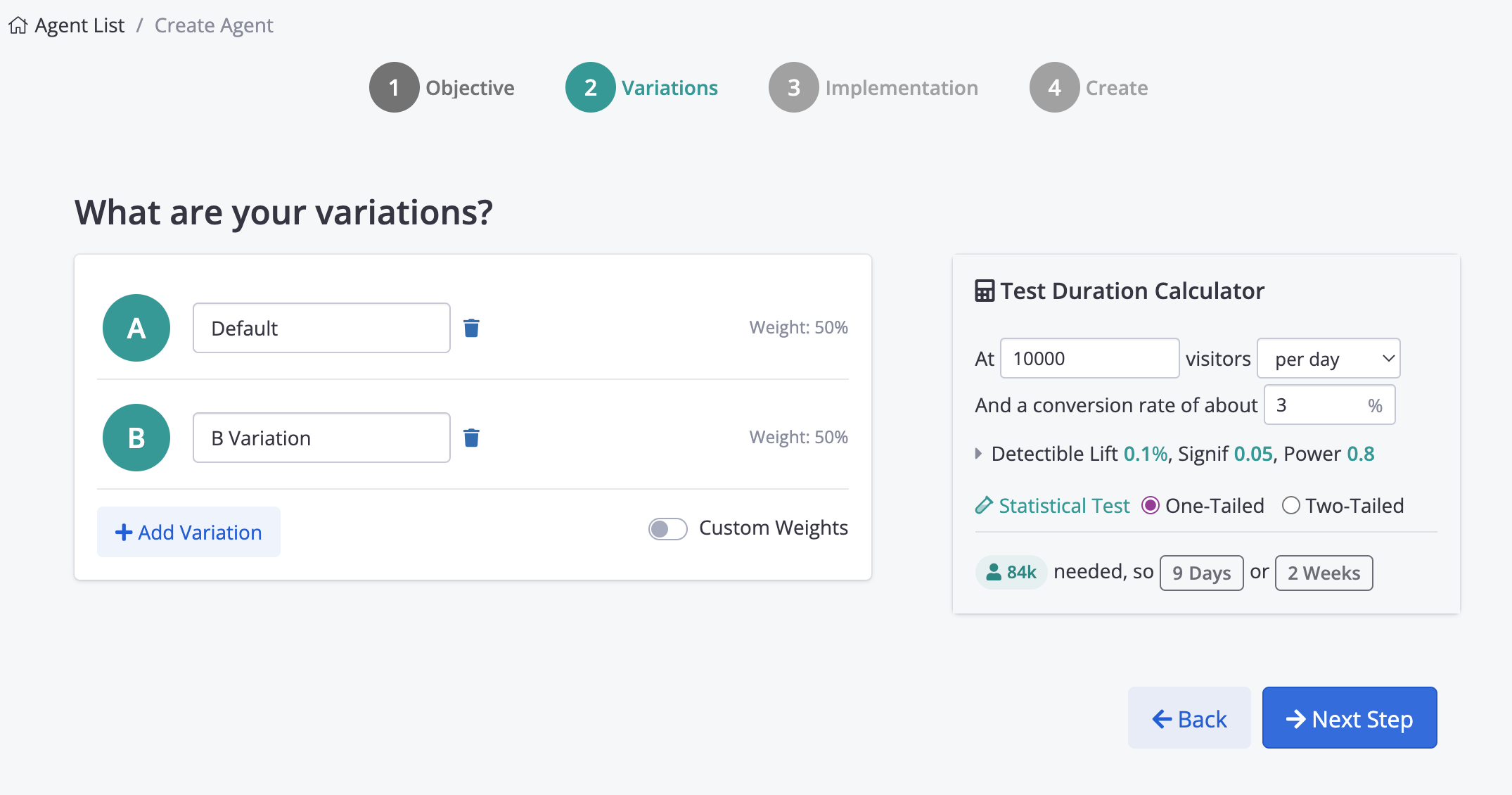
By default, there will be two variations, named Default and B Variation.
- You can give the variations more descriptive names, such as Old Checkout vs New Checkout, or Short CTA Message vs Long CTA Message, or whatever is appropriate.
- You can use the Add Variation button to add a third (or fourth, or fifth...) variation, or remove a variation with the little "trash can" icon.
- By default, each variation will be "weighted" evenly, meaning that each variation will be exposed to about the same number of visitors. You can set Custom Weights for each variation if you want some variations to get more traffic than others.
Test Duration Calculator (Optional)You can use the Test Duration Calculator (right side in screenshot above) to get a feel for how long you would likely need to run your A/B Test for, based on the number of variations and the number of visitors you'd typically expect and so on. The calculator is just "FYI" at this stage, to help you implement your tests according to well-known testing practices.
Step 3: How do you want to implement?
Step 3 is where you decide how you want to set up the actual variation "content". That is, what are the actual "changes" that need to be made to your pages for your A/B Test?
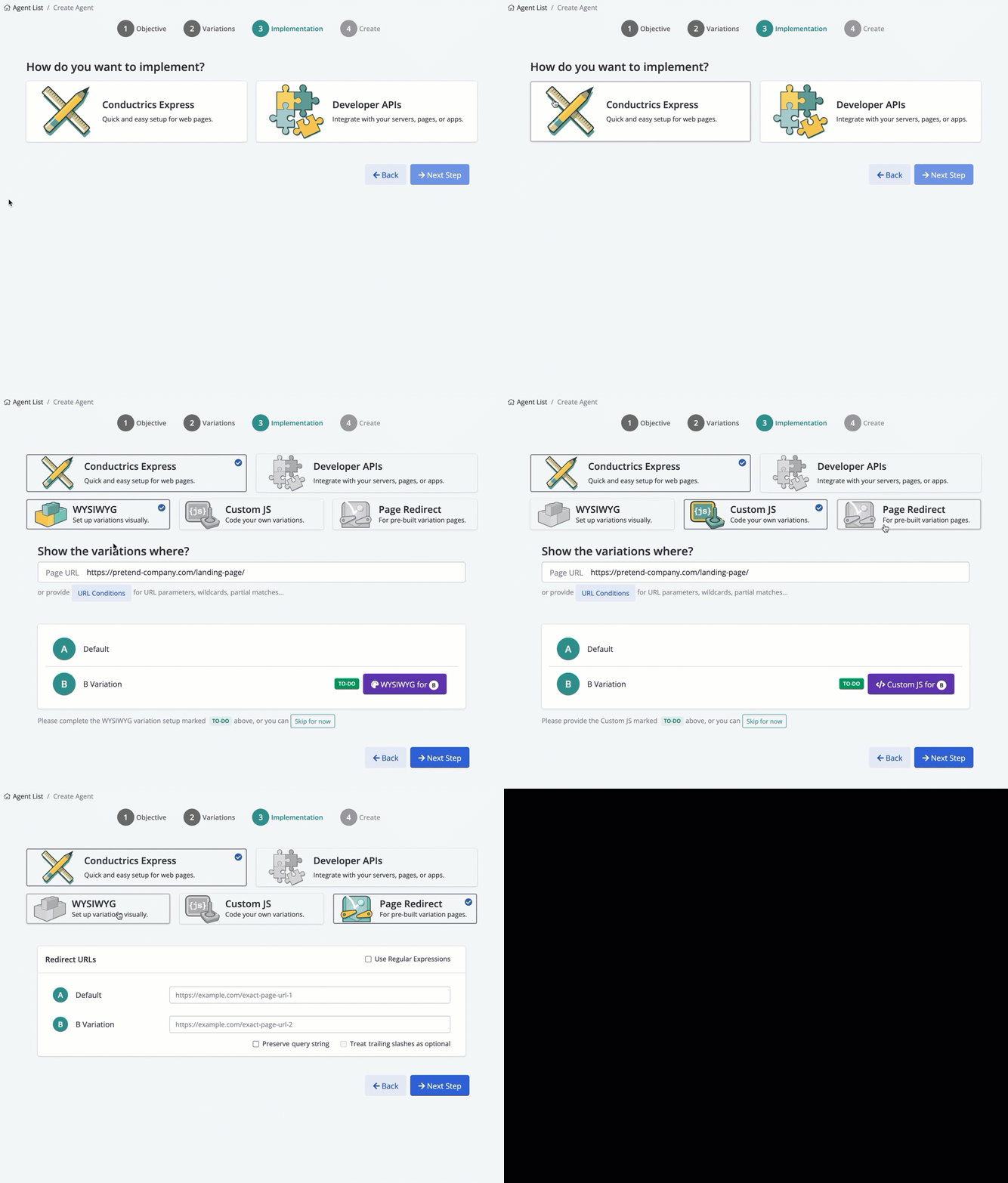
First, you choose between Conductrics Express and *Developer APIs**:
- Choose Conductrics Express to provide the relevant page changes here, in the Conductrics Admin. This is generally the best option unless you're a developer, and is what we're covering here.
- Choose Developer APIs if you want Conductrics to just assign each visitor to a variation, with the logic to actually display/present the variation staying on "your side", in your site's code.
Assuming you choose Conductrics Express, you then have three options:
- WYSIWYG - Choose this option if you want to set up your "B" Variation "visually", by adding changes to your web page via our on-page WYSIWYG tools. Best for simple test variations. See Variation Setup: WYSIWYG for screenshots and more info about the on-page editing.
- Custom JS - Choose this option if you want to provide JavaScript code to make whatever changes are needed to show your variation. Best for more complex test variations, or if you're generally more comfortable with JavaScript.
- Page Redirect - Choose this option if you already have the variation page(s) built out, and just want Conductrics to "split" your visitors between them.
Skipping the WYSIWYG or Custom JS part for nowIf you don't want to set up the actual variation content yet, just hit the Skip for now button at the bottom of Step 3. You can do the WYS and/or JS part later, on your new agent's main page.
Step 4: Name your Agent and finish up
The final step is where you give your test a name and optionally assign it to a team:
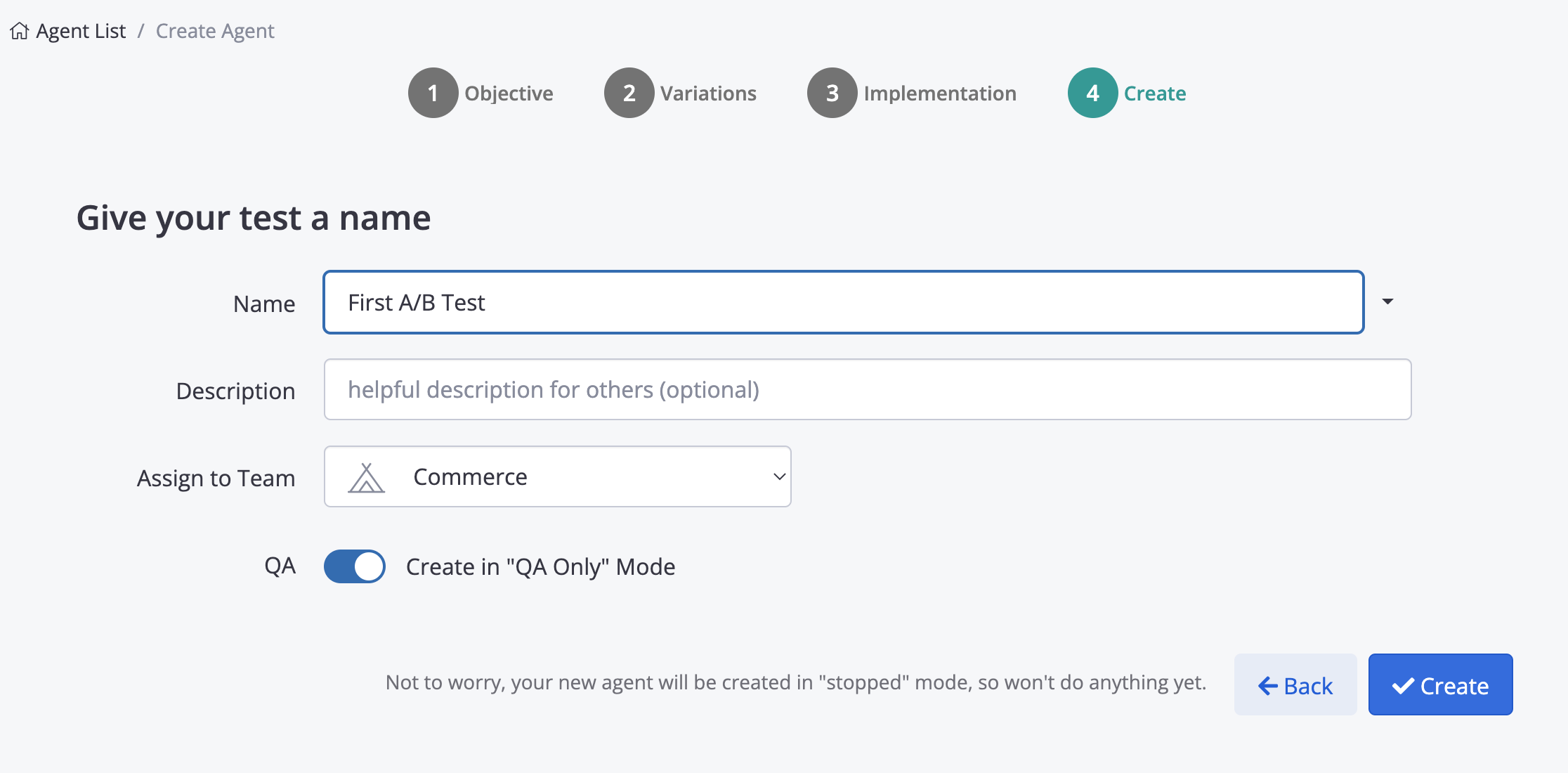
On this final step you can:
- Give your A/B Test agent a friendly name for display in the Conductrics Admin.
- Provide an optional description, to help make it obvious what this test is about.
- Assign the new agent to a Team, if you are Using Teams in Conductrics.
- Turn on "QA Only" mode for the agent. This is usually helpful, assuming that you'll want to
Using a Naming ConventionSome organizations find it helpful to use a "naming convention" for their tests, where the name might include a Ticket number from another system, or agency responsible for the test, etc. You can use the arrow to the right of the Name field to create and use "naming conventions" within Conductrics, which will just make it easier to create names in the format your org prefers.
Updated over 1 year ago