
MVT Report
There may be times when you are interested in determining which element of the customer experience your conversion metric is most sensitive to.
For example, perhaps you believe that changes to the call to action, the page headline, and page position of the call to action, all will affect the conversion rate. In addition to discovering which combination of the three elements will yield the highest conversion, you may also want to know which element has the most influence, or "impact", on the conversion rate. This can be very useful to help guide where to put your resources moving forward.
The Conductrics MVT Report helps answer these three primary questions:
-
Overall Confidence: Do any of these changes, over the different elements, taken together appear to alter the conversion rate?
-
Best Combination: What is the combination that has the highest predicted conversion rate value
-
Agent Impact: Which element is the most important to consider, and conversely, which is the least important for improving the conversion rate?
A Example Report
Let's take a look at the MVT Report for a fictitious Multivariate (MVT) Agent scenario, which is set up to examine the effects of:
-
the call to action;
-
the page headline; and
-
the page position of the call to action.
There are three versions of each element, for a total of 27 unique combinations. The MVT Report helps you examine the effects of all the elements on the conversion rate/value.
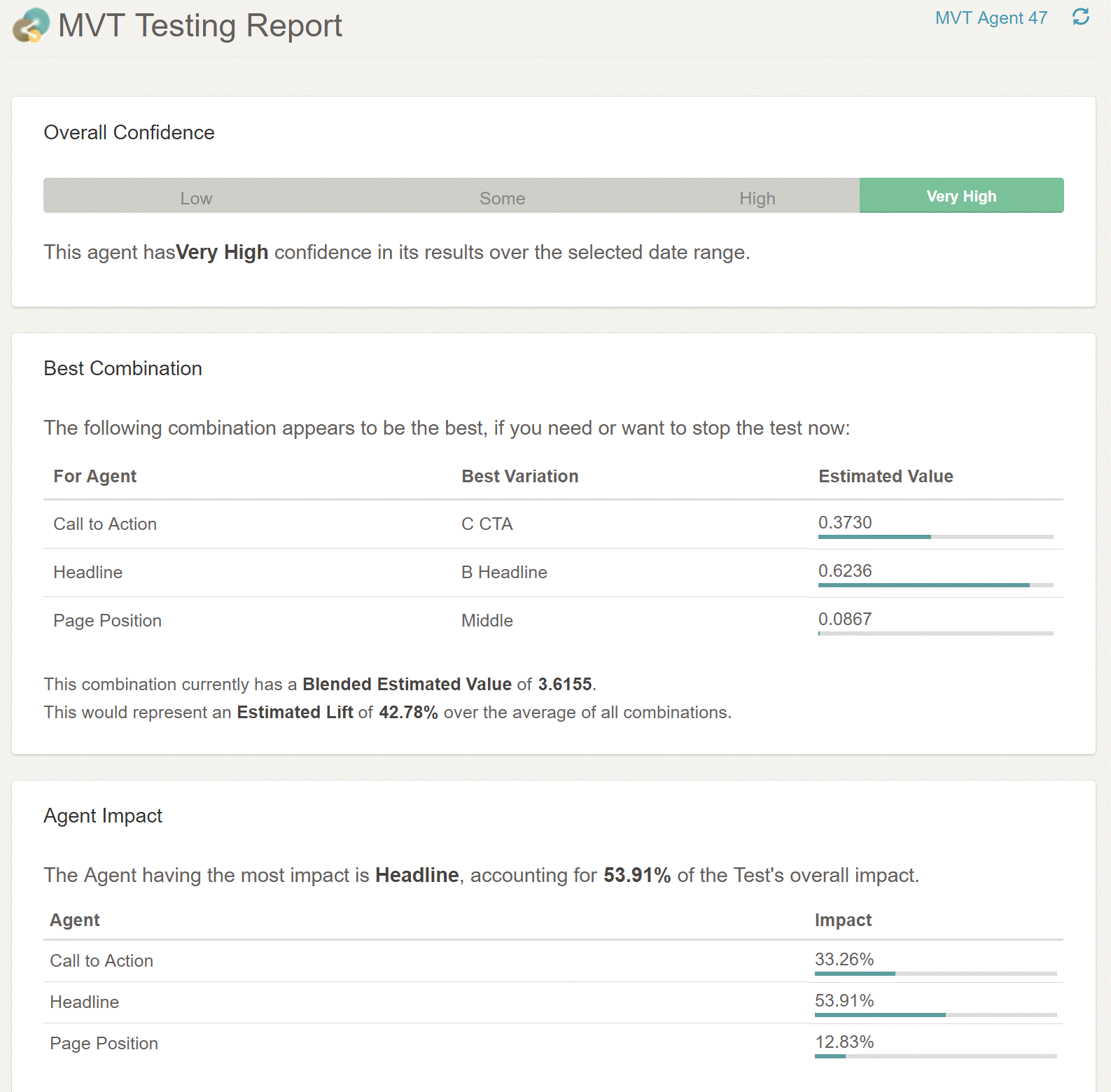
Overall Confidence
The first section of the report is a test on the overall impact on conversion. This is known in the statistical literature as the "omnibus test".
You can think of this as answering the high-level question "Does it look like any of these changes affect the conversion value?". A result with a confidence levels below 80% is assigned a ‘Low’ rating, between 80% and 90% scored ‘Some’, between 90% and 99% ‘High’, and 99% and above ‘Very High’.
(For the more technically inclined, we also provide the p-value, and the F-statistic for the global F-test).
Best Combination
Often, you will be looking to answer the decision optimization question of "which combination of elements yields the highest conversion rate or value?".
While you can use Conductrics standard Testing Report to select the best combination of elements, the Best Combination section in the MVT Report uses a more efficient modeling method that provides results that are often more stable than results from standard AB-test style reporting (either in our A/B Testing Reports or those from other software vendors).
The main body of the MVT Report provides the best predicted variation for each of the component agents.
So in this example, the best combination would be the ‘C’ Call to action, the ‘B’ Headline, and the ‘Middle’ Page position. This combination would have a blended estimated value of $3.62 , which is almost 43% higher than the average conversion value.
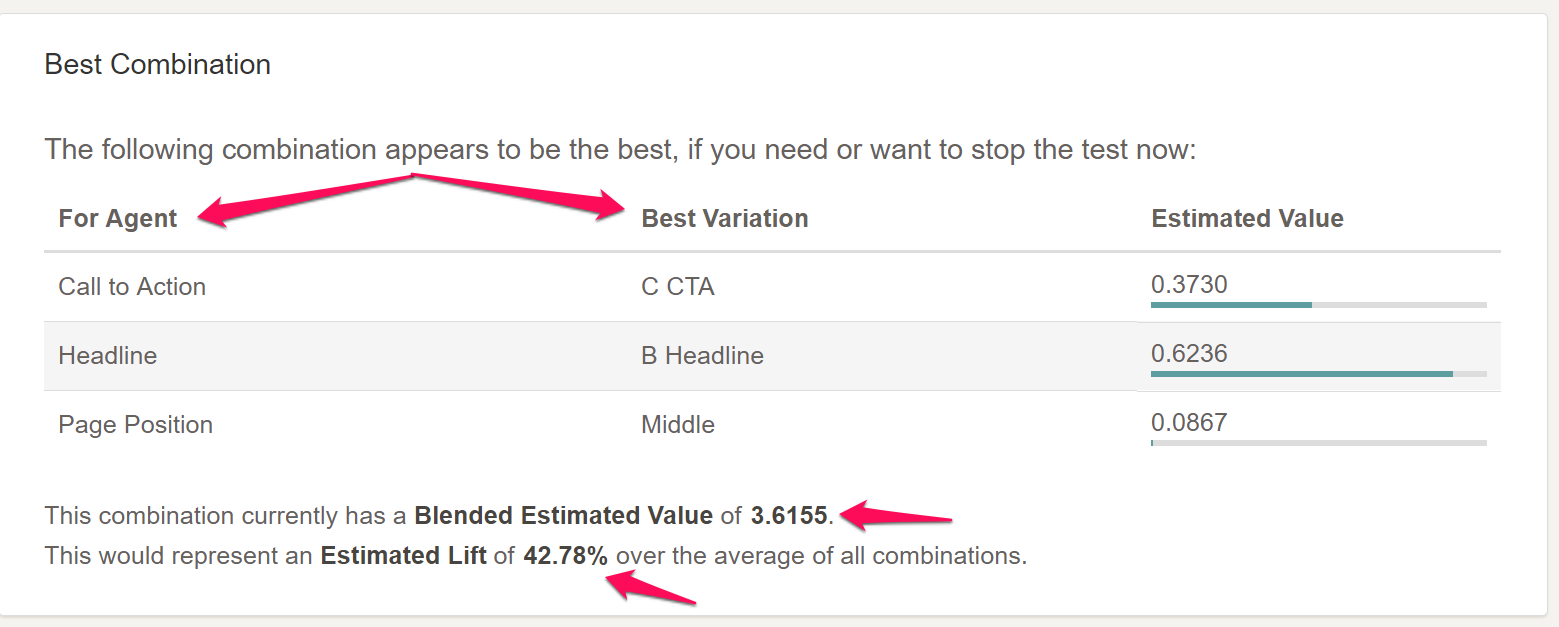
The report also provides some detail on the incremental (or "marginal") average impact of each setting. So the 'C' call to action adds and incremental $0.37, Headline ‘B’ adds an incremental $0.62, and the Middle page position adds just under $0.09 (0.0867)
Agent Impact
The third main section of the MVT report analyzes how each component agent (test element) contributes to the impact on the conversion rate or value.
In our example, it is the Headline component that has the greatest impact – almost 54% of the change in conversion is attributable to altering the Headline. The Page position has the least impact – just under 13% of the change in conversion can be attributed to altering the position of the CTA.
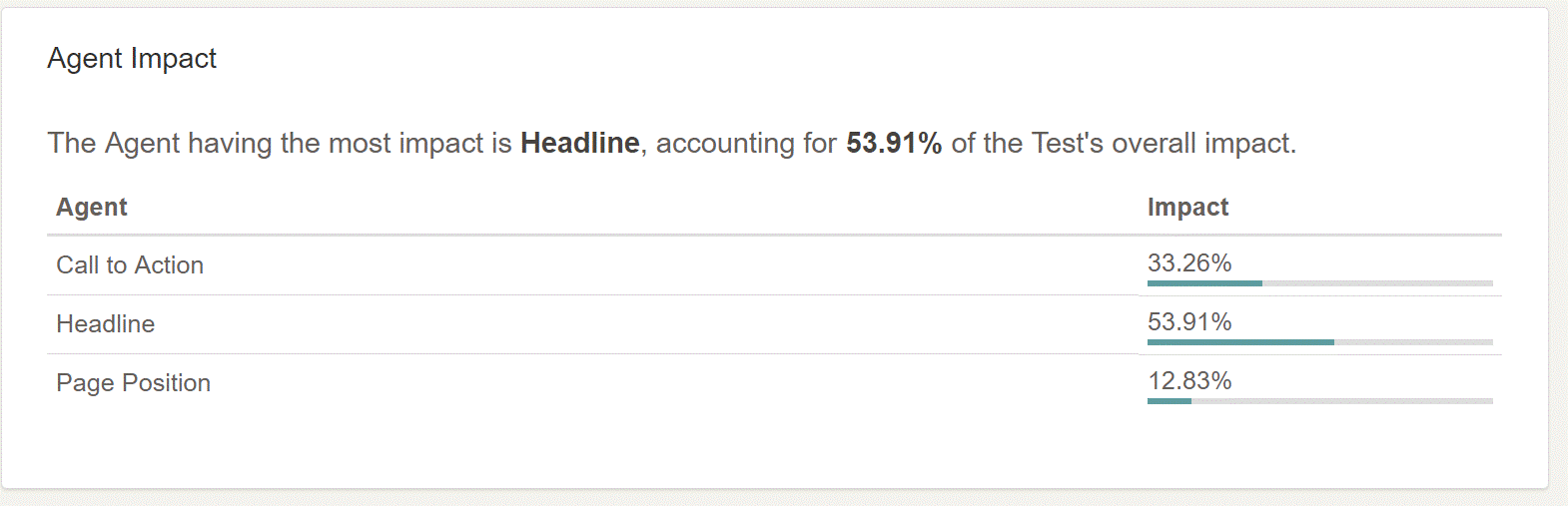
Why is this useful? Let’s say you want to focus your efforts on changes to the user experience that matter to your customers. This section of the MVT report helps you find out what parts of the user experience do matter to them, at least with respect to your chosen conversion metric.
In this example, as you move forward, you may decide to focus your energies on new Headlines, or even call to actions, rather than worry about the page position.
Advanced Sections
Variation-Level Estimates
The MVT report also has more advanced and detailed reporting from the MVT analysis. The Variation-Level Estimates section breaks out all of the estimated values for each of the variations in each agent. It also provides the p-value for each agent.
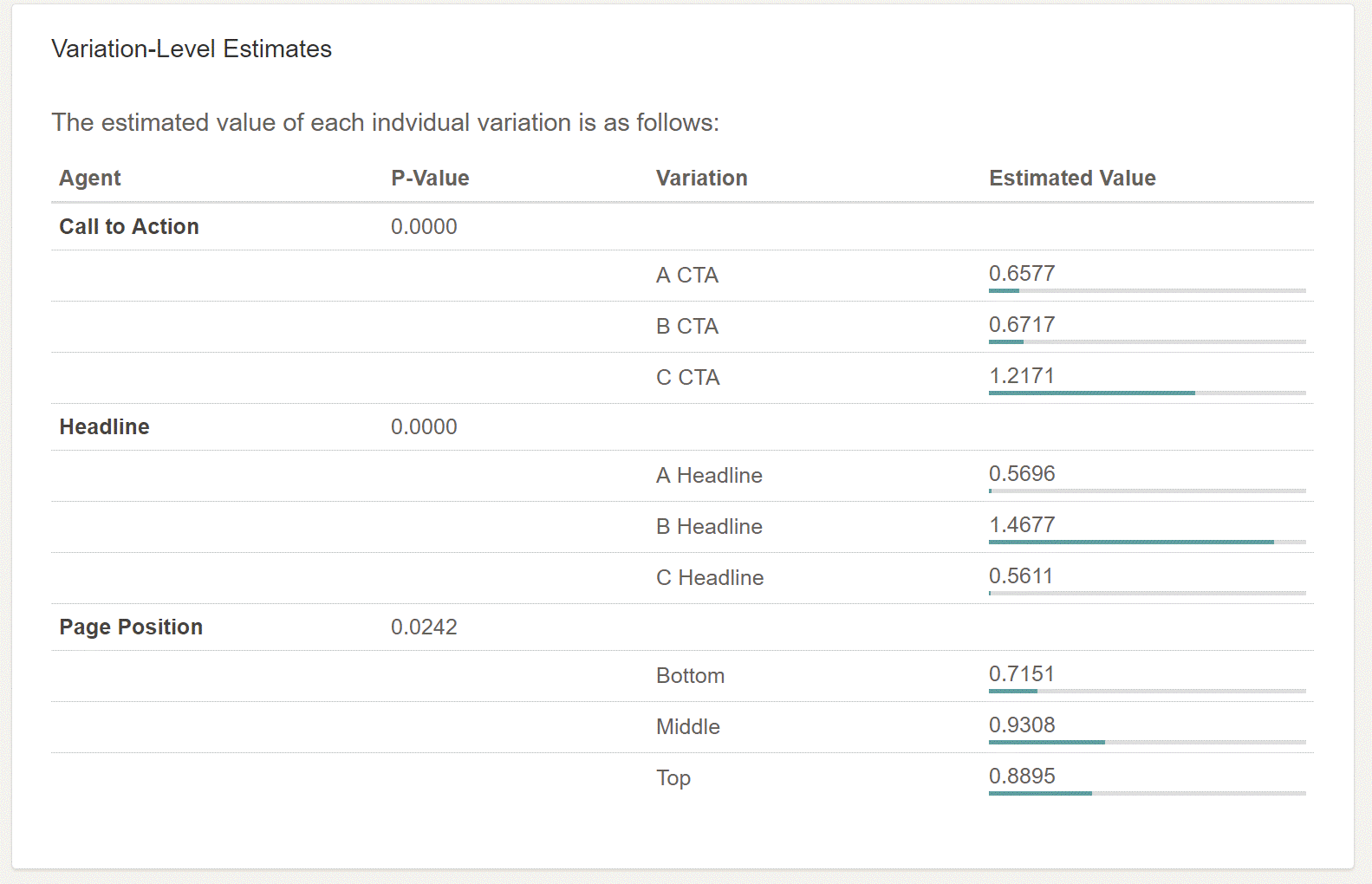
Analysis of Variance Table
If you open the ANOVA Table section at the bottom of the report, you'll get an analysis of variance table which provides a summary of many of the statistical results that drive the report. This format should be familiar to those with backgrounds in statistics.
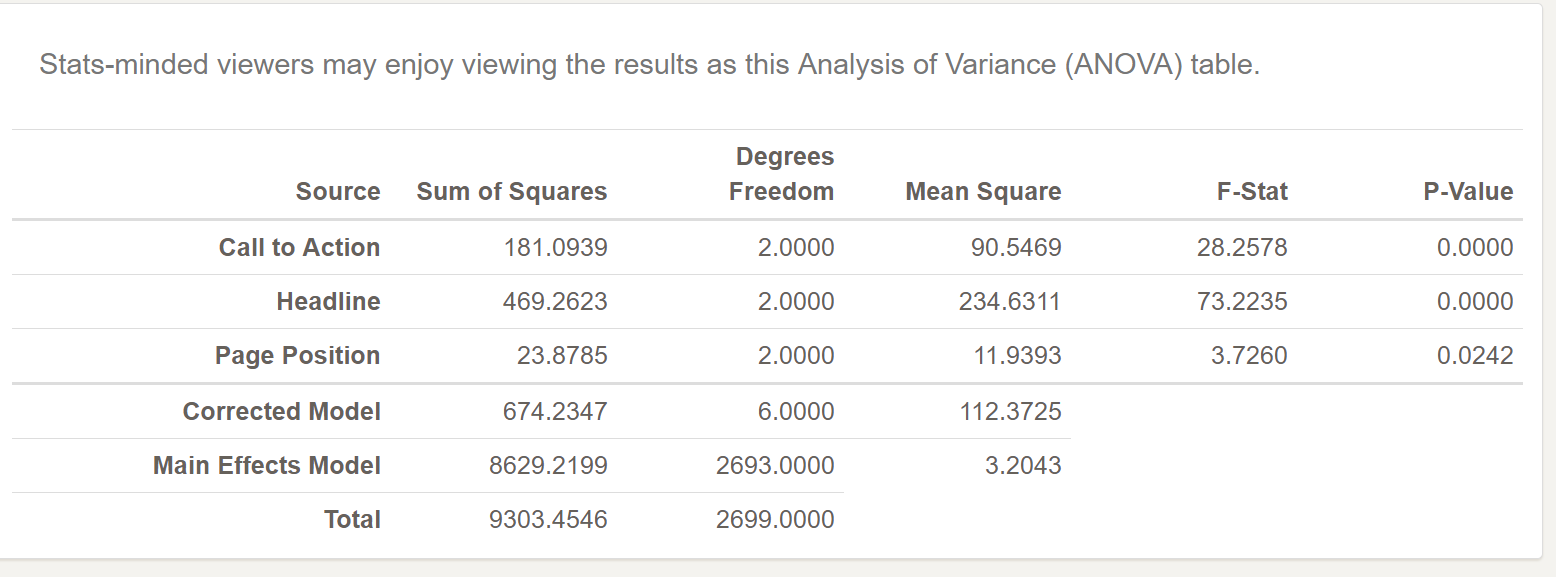
(Even more detail can be found in the results from the Reporting API.)
Technical Statistical Note: When the conversion metric is binary, such as a conversion rate, the MVT Report uses a linear probability model.
Updated over 1 year ago