
Using Conductrics Edge
This page assumes that your site has been set up for Conductrics Edge - if not, please see Conductrics Edge Setup for the steps you'll need to take with your CDN.
If you haven't already, check out the Conductrics Edge Overview page first to get a sense of what the overall functionality is all about.
Note that the Allow Conductrics Edge to make page changes set up via WYSIWYG and Custom JS option must be enabled for your Edge Deploy Target. See Conductrics Edge Setup for details.
Using Edge with WYSIWYG
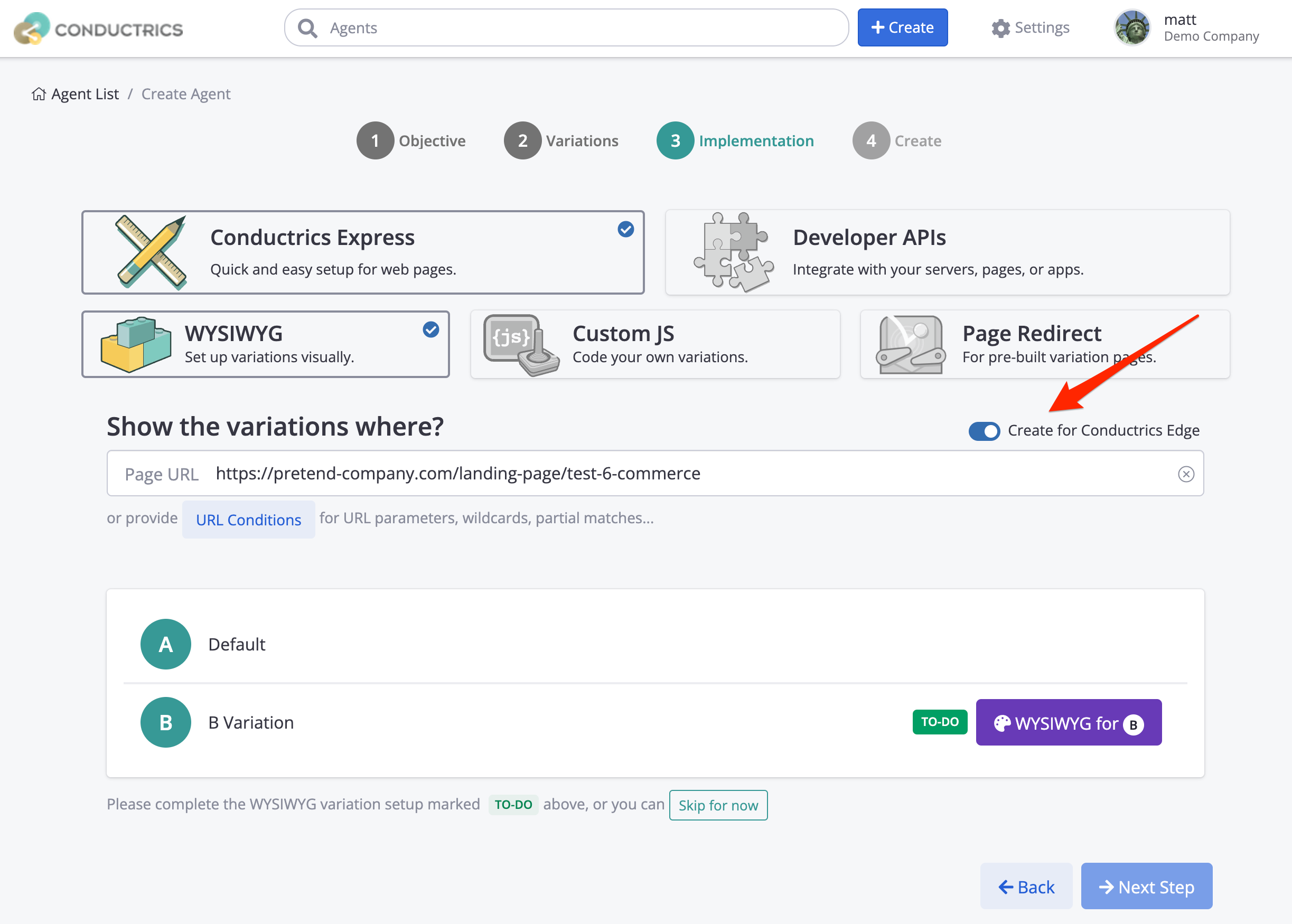
The setup steps are the same as when setting up an Express agent via WYSIWYG. Just enable the Create for Conductrics Edge switch on Step 3 of the process, as shown in the screenshot below:
Using Edge with Custom JS
You can also create A/B tests or other agents that use Custom JavaScript to make changes to your pages. The difference is that your JS code can execute "at the edge" so that your pages contain the changed content before they are sent back to the browser.
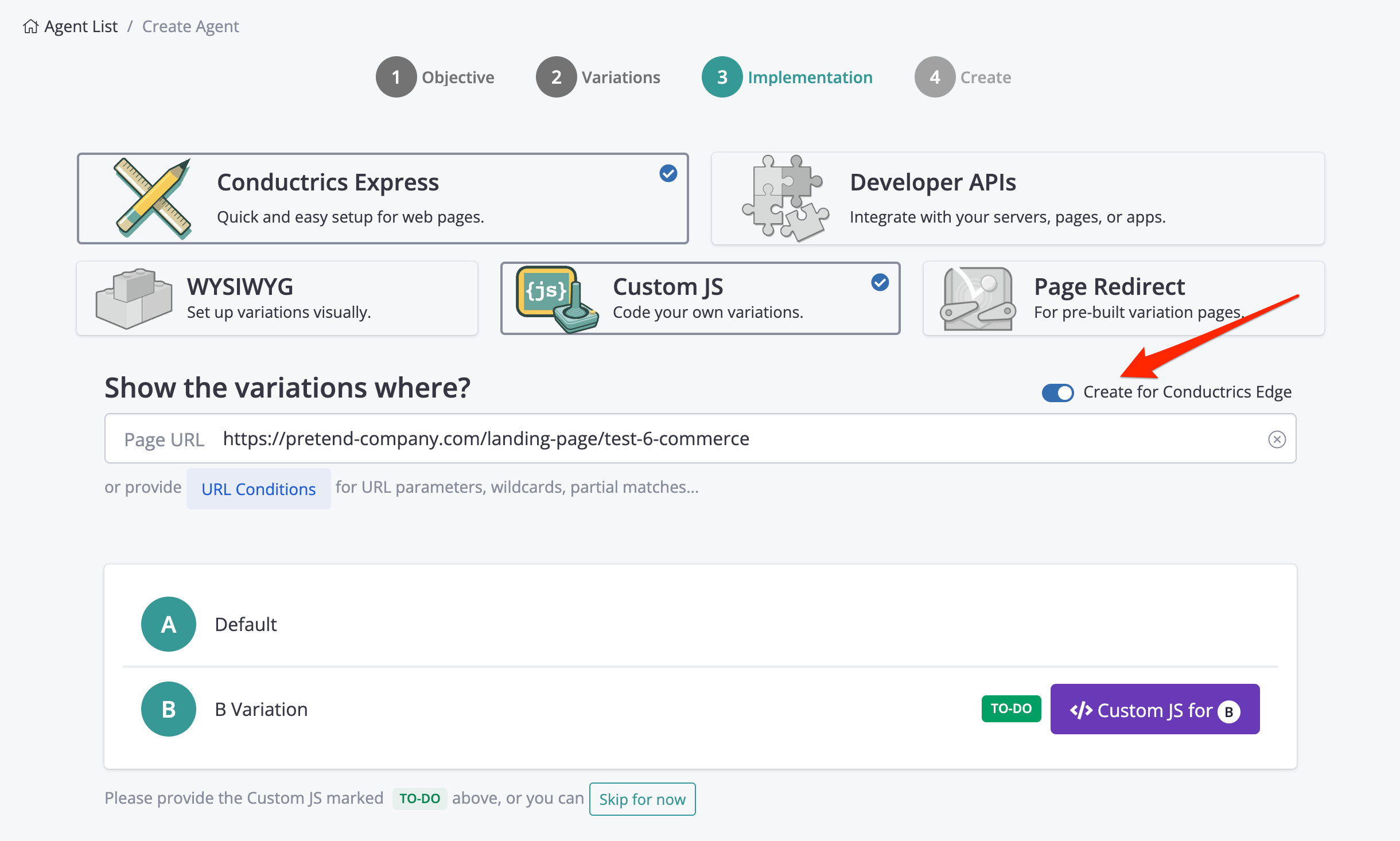
To get started, just enable the Create for Conductrics Edge switch on Step 3 of the agent setup process, as shown below. See Edge-Side JavaScript for details and ideas about the kinds of page changes you could make.
Note that the Allow Conductrics Edge to make page changes set up via WYSIWYG and Custom JS option must be enabled for your Edge Deploy Target. See Conductrics Edge Setup for details.
Using Edge with Redirects
You can create Redirect tests that execute at the Edge, for cases where you have an alternate version of a page that you want to A/B test (or target to certain visitors).
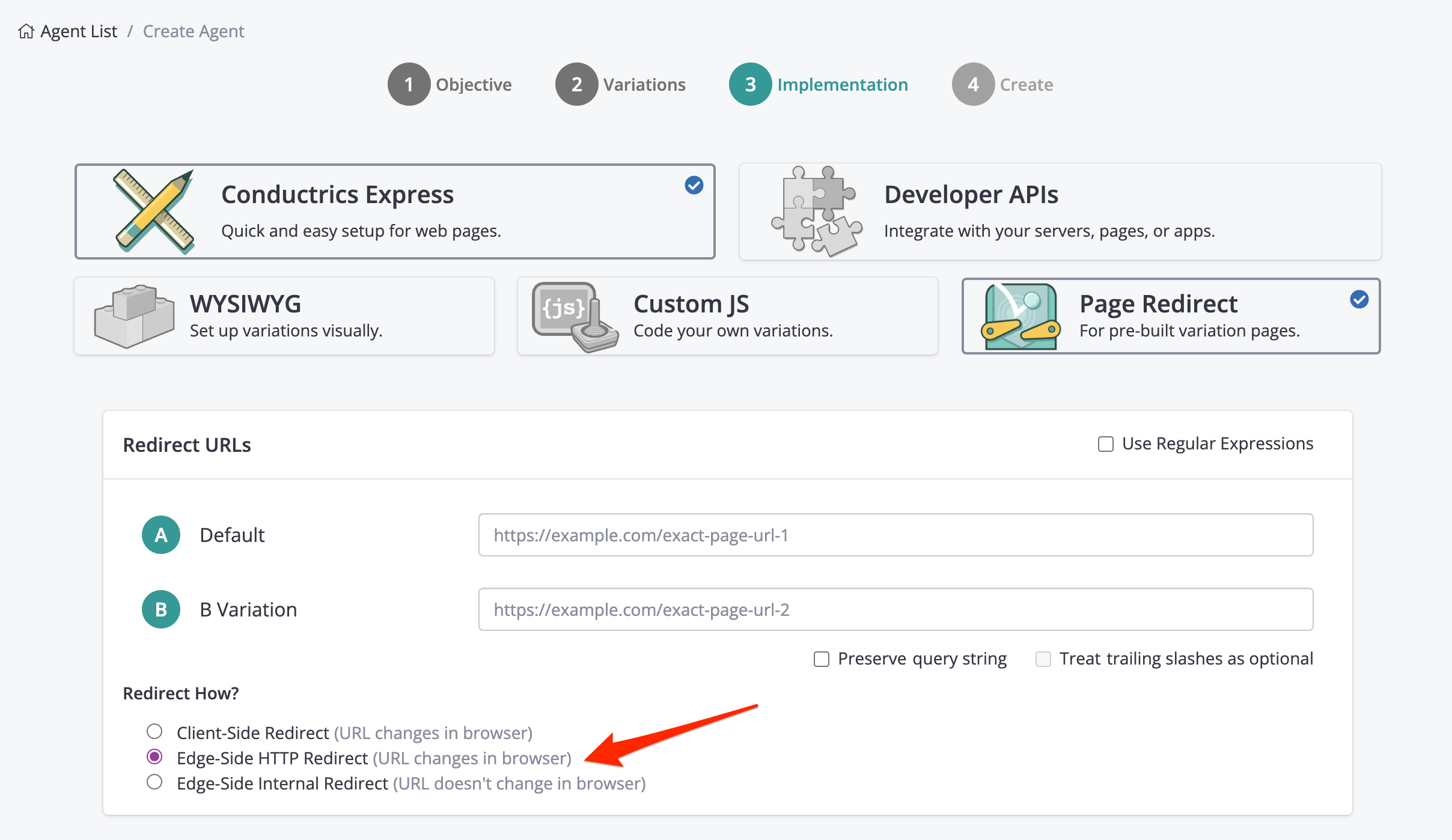
The setup process is the same as when setting up a client-side Redirect Agent. Just choose one of the "Edge-Side" options under Redirect How? as shown below:
-
Choose Edge-Side HTTP Redirect if you want Conductrics Edge to do a "traditional" server-side redirect, where the browser is told that the page it requested has been "moved temporarily" to the alternate URL. The browser "follows" the redirect, which is reflected in the browser's URL bar. Any client-side analytics or other JavaScript will be aware of the new URL.
-
Choose Edge-Side Internal Redirect if you want Conductrics Edge to do an "internal" redirect, where the browser is "slipstreamed" the alternate version of the page. The browser is unaware of the difference, and any client-side analytics or other JavaScript will be unaware that a redirect has occurred.
If you need to review or change the URLs or other redirect-related options later, just go to the agent's page in the Conductrics Admin, then click the Redirect Options button in the sidebar on the right.
Using Edge with Custom Headers
For "bespoke" situations where you want your "origin servers" to make changes to your pages rather than WYSIWYG or Custom JS (or in addition to), you can have Conductrics Edge add custom HTTP Headers depending on which variation gets assigned for each visitor.
- Create a new WYSIWYG or Custom JS agent with the Create for Conductrics Edge option during Step 3 of the Create process, as discussed in the sections above.
- Proceed to Step 4 to finish creating your new agent. (If you don't have any actual WYS or JS changes to make, just hit Skip for now at the bottom of the page during Step 3.)
- From the agent's main page in the admin, hit the Edge Headers button, above your variation names.
- Fill in whatever custom headers you would like to be sent to your origin servers when Akamai fetches page content from them.
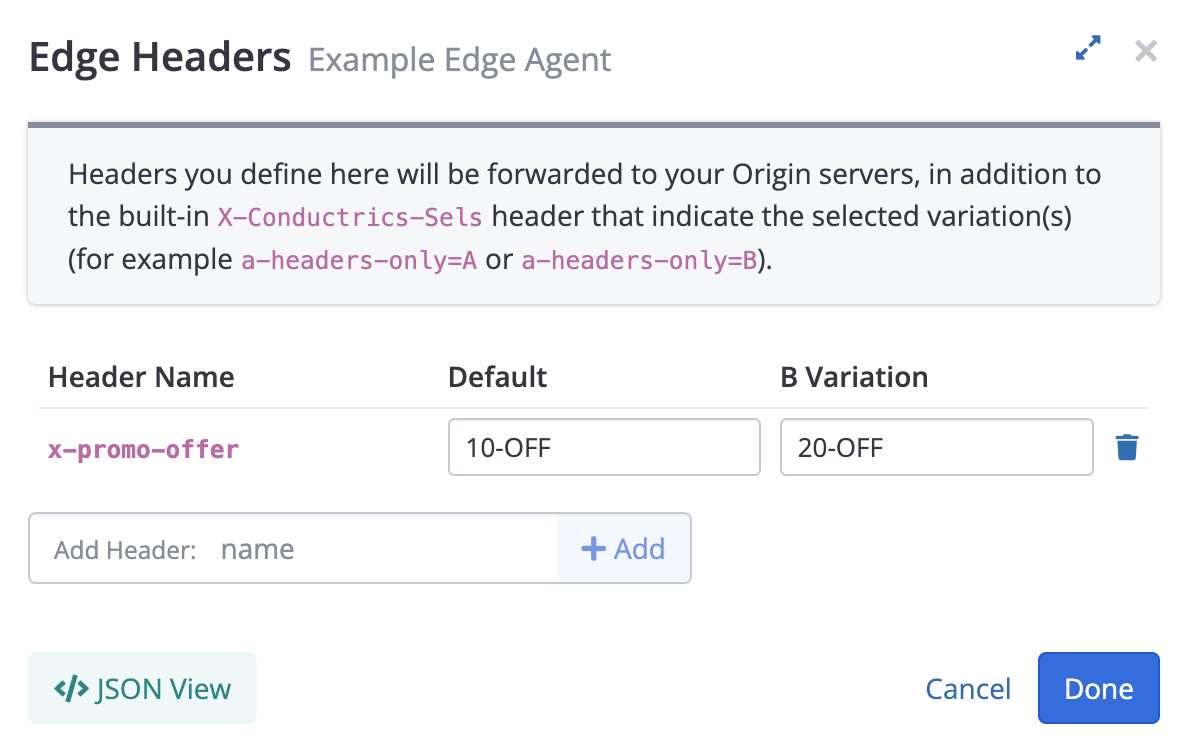
While not at all required, it is customary to prefix your custom header names with x- to indicate that they are "custom" (as opposed to "normal" HTTP headers). Further, you may want to prefix them with x-example- where the "Example" part is your company name, just to avoid potential conflicts with any other custom headers that could be added by other systems in the future.
The custom headers are forwarded to your origin servers, so you can use them for content serving (or perhaps using rules within a proxy such as Apache or Nginx or HA Proxy). They are added to the Origin Request, not the Client Response, which means they are not sent back to the browser.
Your CDN/Edge provider may have limitations on the header names that can be set. For instance, when working with Akamai, EdgeWorkers cannot manipulate Akamai's internal headers (generally prefixed with
X-AkandAkamai-).
Conductrics will also add a header called
X-Conductrics-Selswhich is also forwarded to your origin servers. That header will contain the variation(s) selected for each Conductrics agent that is "active" on the page being processed, as a list of comma-separatedname=valuepairs.For instance, if there are two A/B Tests running on a given page, you might see something like
agent-1=B,agent-2=Cif agent-1 picked B and agent-2 picked C.
Sending Goals for Edge Agents
You can set up your Goals in the same way as you would for a client-side Express agent. See Goals / Conversions for details.
Goals get Triggered Client-SideThe actual goal processing is done via client-side Conductrics Express, so that it can do things like watch for button clicks and other events that occur in the browser. This is one of the reasons why a