
Client-Side Counting for REST API
For situations where you want to experiment server-side, but count client-side.
This Client-Side Counting feature is currently available in Beta. Please reach out to Conductrics if you're interested in trying it out!
What's This?
Some companies have scenarios where they would like to use a "server-side" approach to experimentation, but would prefer that the Conductrics reporting gets updated in a client-side manner. For such situations, Conductrics offers a "Client-Side Counting" mode for the REST API.
The basic flow is this:
- Your servers contact the Conductrics REST API normally (this is the "server-side" part). Per usual, the REST API returns variation selections (A vs B, etc) and your servers do whatever is appropriate to change the experience for your visitors based on variation selections, etc.
- In addition, the REST API also returns little event "messages" that your servers embed into the page's HTML via the Simple Data Layer before returning the page to the visitor.
- The Conductrics client-side script sees the little event "messages" and forwards back onto Conductrics for counting in the Conductrics reporting.
Reasons to go with this approach might be:
- The server-side piece tends to get a lot of unwanted automated traffic that doesn't actually get served to actual visitors (perhaps due to bot/scraper requests).
- There is a desire to keep the counts/metrics in the Conductrics reporting closer to some other "downstream" analytics system, and that system is instrumented client-side.
One way to think of this feature is as a way to keep your REST API selections from being "over-counted". But that could also be rephrased as "under-counting" your calls to the REST API. We encourage you to reach out to Conductrics to discuss whether this feature makes sense for your project.
Prerequisites
For any pages that you want to use this "Client-Side Counting" technique on:
- Your servers must be using the Conductrics REST API "server-side" to make variation selections (and/or to send goal/conversion events) and serve the resulting page variants for each visitor. In other words, it is appropriate only for pages where each visitor's page requests come "back to the origin". It is not appropriate for sites/pages that are served via a static CDN.
- Your REST API Deploy Target must have the Enable Conductrics Simple Data Layer option on, and your servers must pass the Simple Data Layer's contents through into the page as described on the Simple Data Layer for REST API doc page.
- Your pages must include the normal Conductrics
\<script>tag from a Express / JavaScript Deploy Target (see Script Tag Installation for details).
If you have some pages where the normal Conductrics script tag won't be present, you can instead install a Client-Side Counting Standalone Script to provide the "client-side" part of this Client-Side Counting scheme.
Enabling at Agent Level
For an agent that you want to use this Client-Side Counting technique:
- The agent must be associated with both Deploy Targets (REST API and Express/JS).
- If you use Manual Deploys, you must re-deploy after making the associations or other changes relevant to the agent.
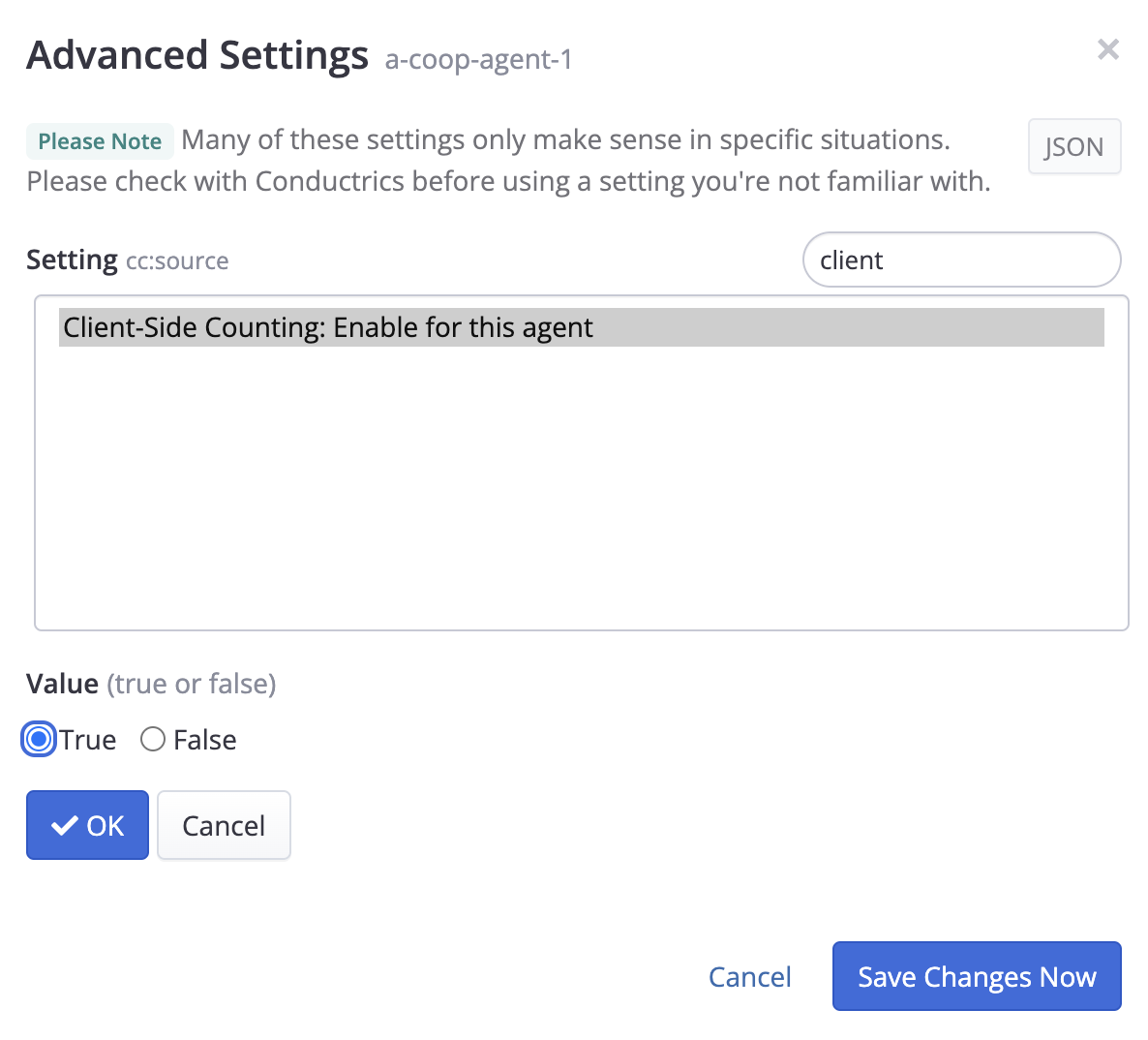
- You must enable the Client-Side Counting: Enable for this agent option, which you can enable via the Advanced button on the agent's main page in the admin (screenshot below).
What Happens On The Page?
Once you've met the "Prerequisites" and enabled the Client-Side Counting for an agent, you'll see a new type of object being included in the Simple Data Layer on the page (assuming that any new variation selections or goal events have occurred via the REST API).
These objects will have two properties, cc (for "client counting") and dg (for "digest"), each containing an opaque string which is not meant to be human-readable. Something like this:
{ "cc": "eyJ0IjoiZCIsImEiOiJvd25lcl90ZXN0OmEtY29vcC1hZ2VudC...", "dg": "6feeef6f2c3ec5fbed01fe4e0d31186d" }
The client-side script will "see" these objects and send them back to Conductrics for "counting" in our reporting.
Only "countable" variation selections or goal/conversion events will result in one of these objects being added to your Simple Data Layer. It would be correct for Sticky Selections to not be included, and goal events that aren't "countable" (perhaps because the maximum number of repeated events has been reached, etc) will also not appear.
If you're currently sending all objects in your Simple Data Layer to your "downstream" analytics service or similar, you may want to filter out these
cc/dgones, as they wouldn't have any meaning elsewhere.
Impact on Reporting
Generally speaking, you will probably see lower counts in the Conductrics reporting versus the "normal" (server-side only) counting.
If you want to compare, you can use the "CP" and "CQ" Data Sets in our reporting pages, available for API agents with the aforementioned "Client-Side Counting" option enabled:
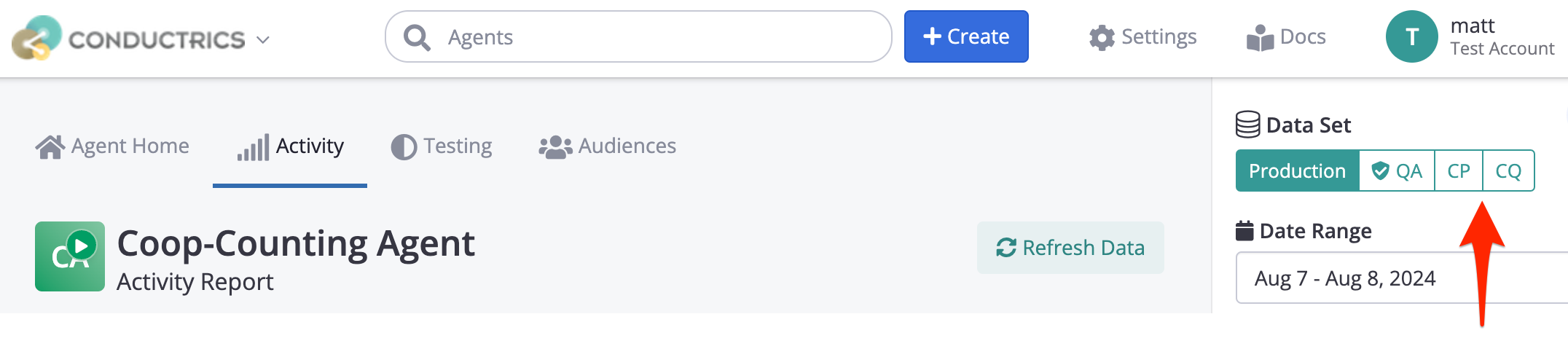
- Production will be your normal production data, using the client-side counting.
- QA will reflect the counts for any QA Visitors (identified with the
qaflag when calling the REST API), also using the client-side counting. - CP will reflect the numbers from your production visitors, but using "normal" server-side counting rather than client-side counting.
- CQ will reflect the counts for any QA Visitors, but using "normal" server-side counting rather than client-side counting.
Updated over 1 year ago