
SRM & Interaction Concerns
Understanding the SRM and Test Interaction Detection built into Conductrics
What Are "Concerns"?
Conductrics currently detects two types of "Concerns":
-
Sample Ratio Mismatch Concerns - Indicates an possible imbalance in the number of variation selections. See the "Understanding Sample Mismatch Concerns" section below for details about what situations might cause this concern, and what you might want to do do about it.
-
Test Interaction Concerns - When a A/B Test could be influenced by another test (or other type of agent). See the "Understanding Test Interaction Concerns" section below for details about what situations might cause this concern, how to evaluate whether you should care about the concern, and what your next steps might be.
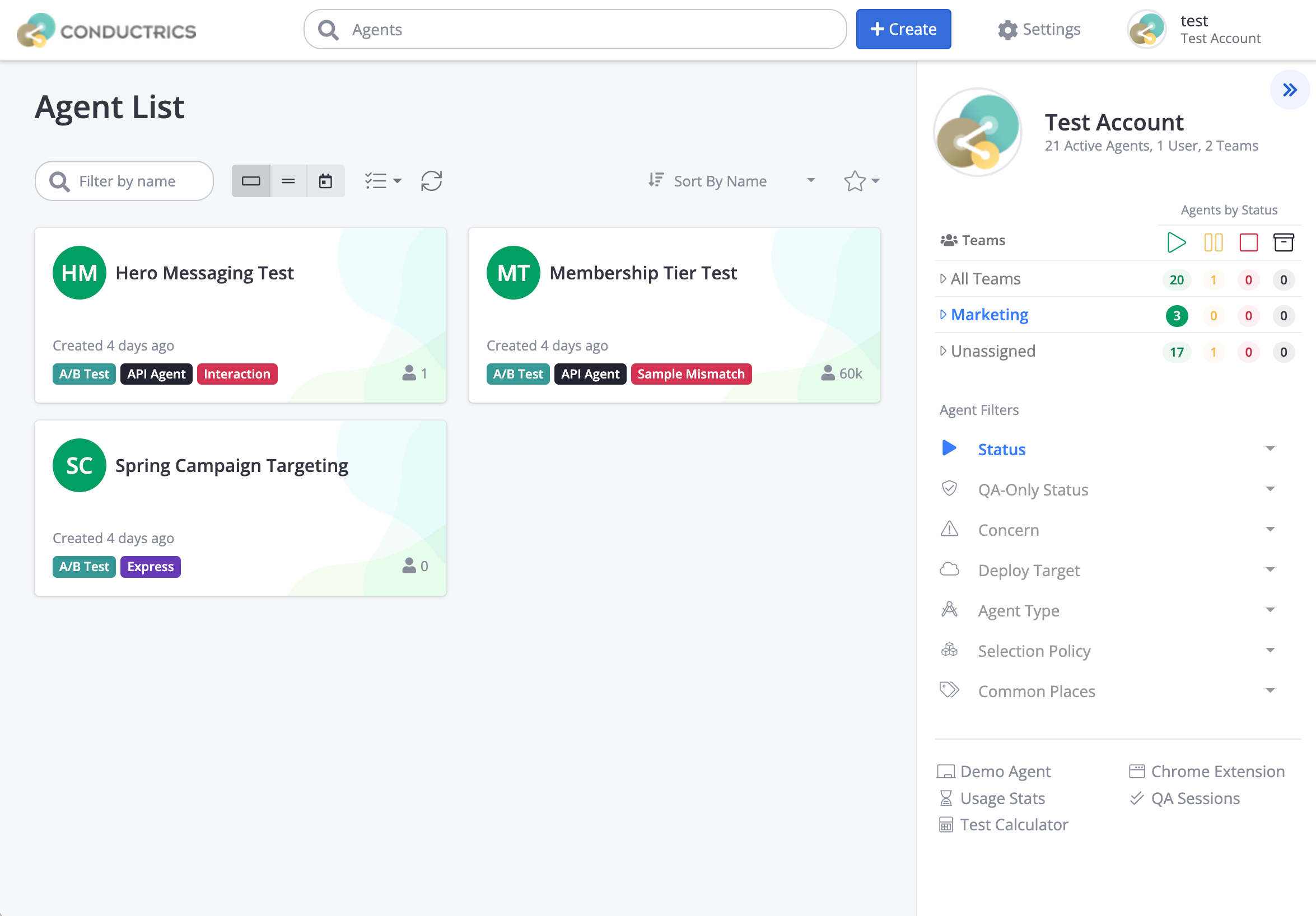
For instance, in the screenshot below:
- A potential Test Interaction concern has been detected for the Hero Messaging Test agent.
- A potential Sample Ratio Mismatch concern has been detected for the Membership Tier Test agent.
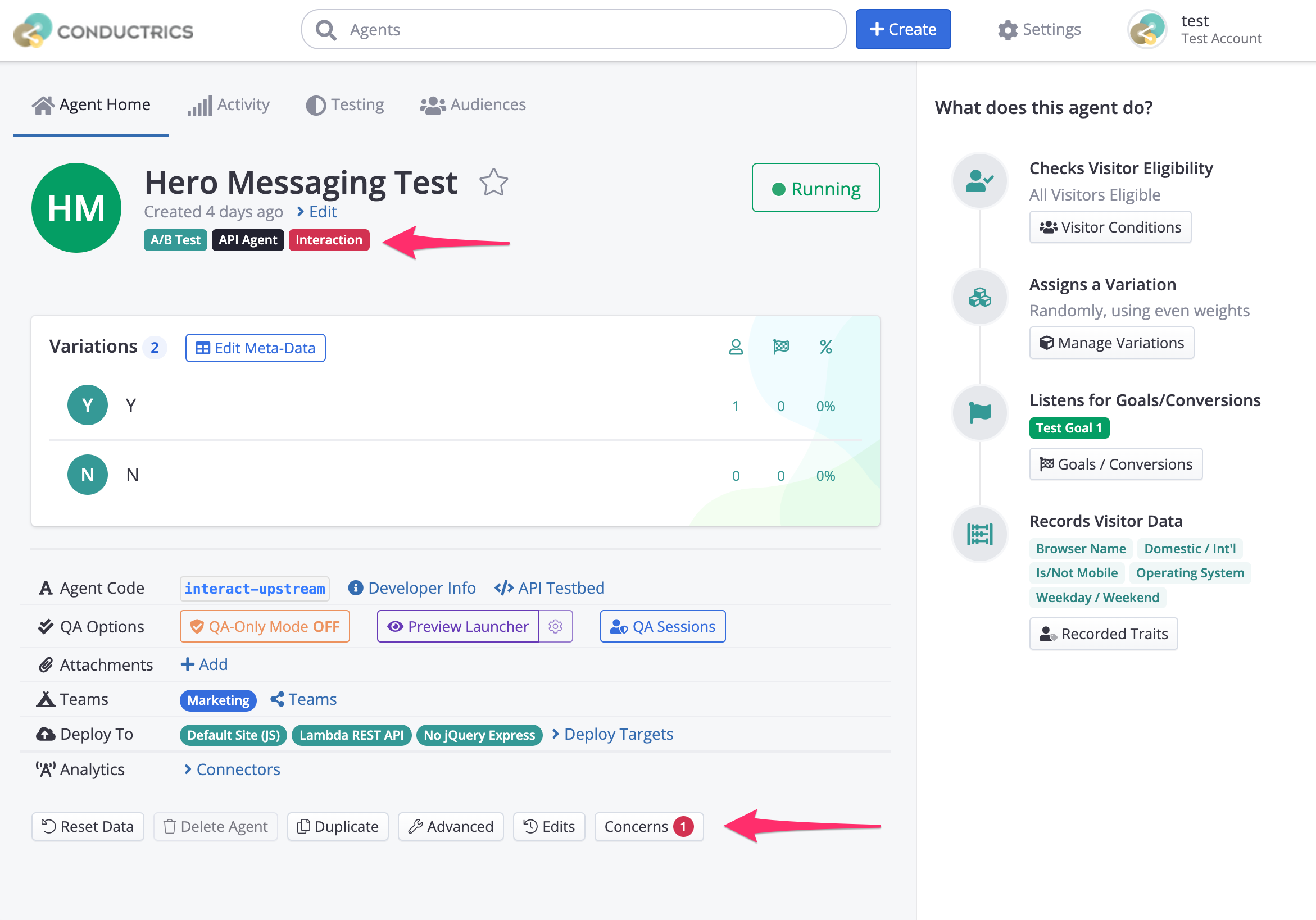
Concerns are also shown on each Agent's "Home" page in the admin:
- The potential Test Interaction concern is shown in red near the top
- The Concerns button near the bottom shows the number of active concerns (if any).
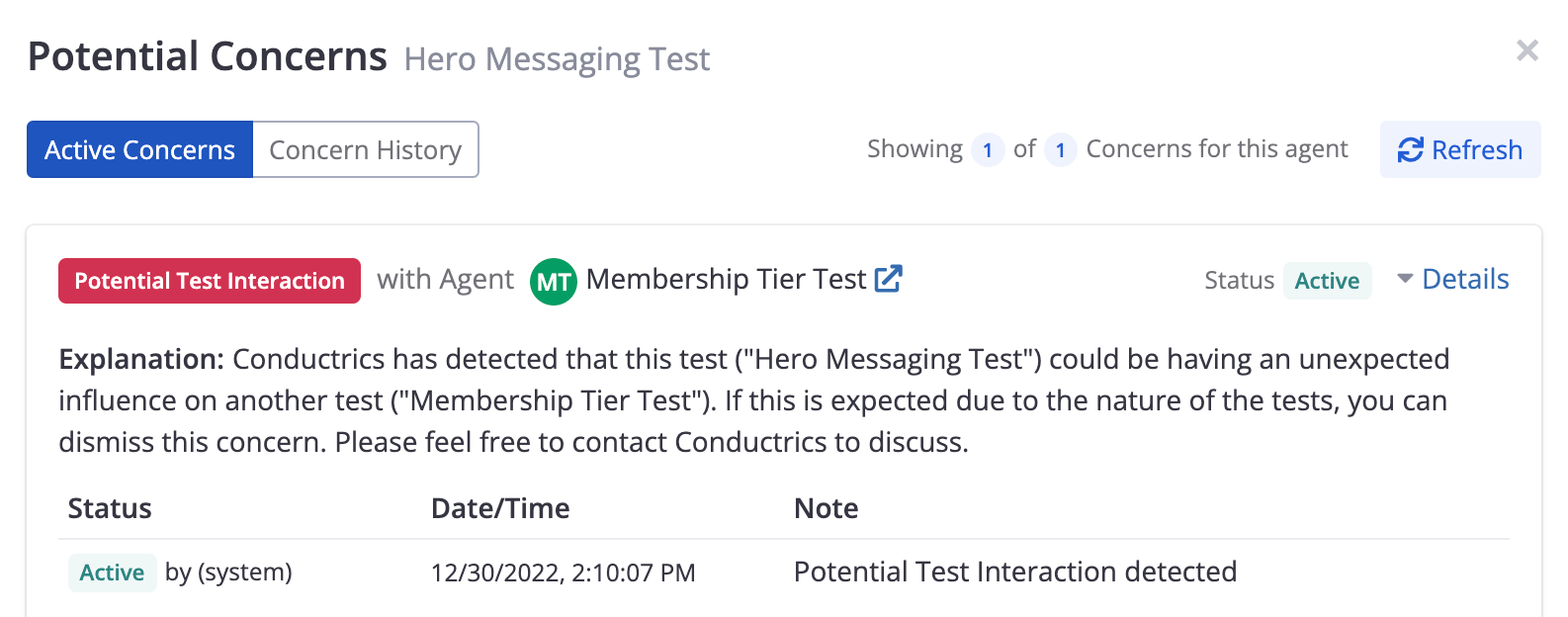
You can click the Concerns button (shown above) to see active and past concerns for the agent.

You can click on Details to see further information:
Acknowledging or Dismissing a Concern
It's possible that Conductrics will add a Sample-Ratio Mismatch or Test Interaction Concern that you don't consider to be a problem. If so, you can hide the Concern so that it doesn't bother you and others on your team.
- Find the agent you want in the Conductrics Admin (you can filter the Agent List by Concern type to make it easier to find).
- Click the Concerns button (at the bottom of the agent's main page).
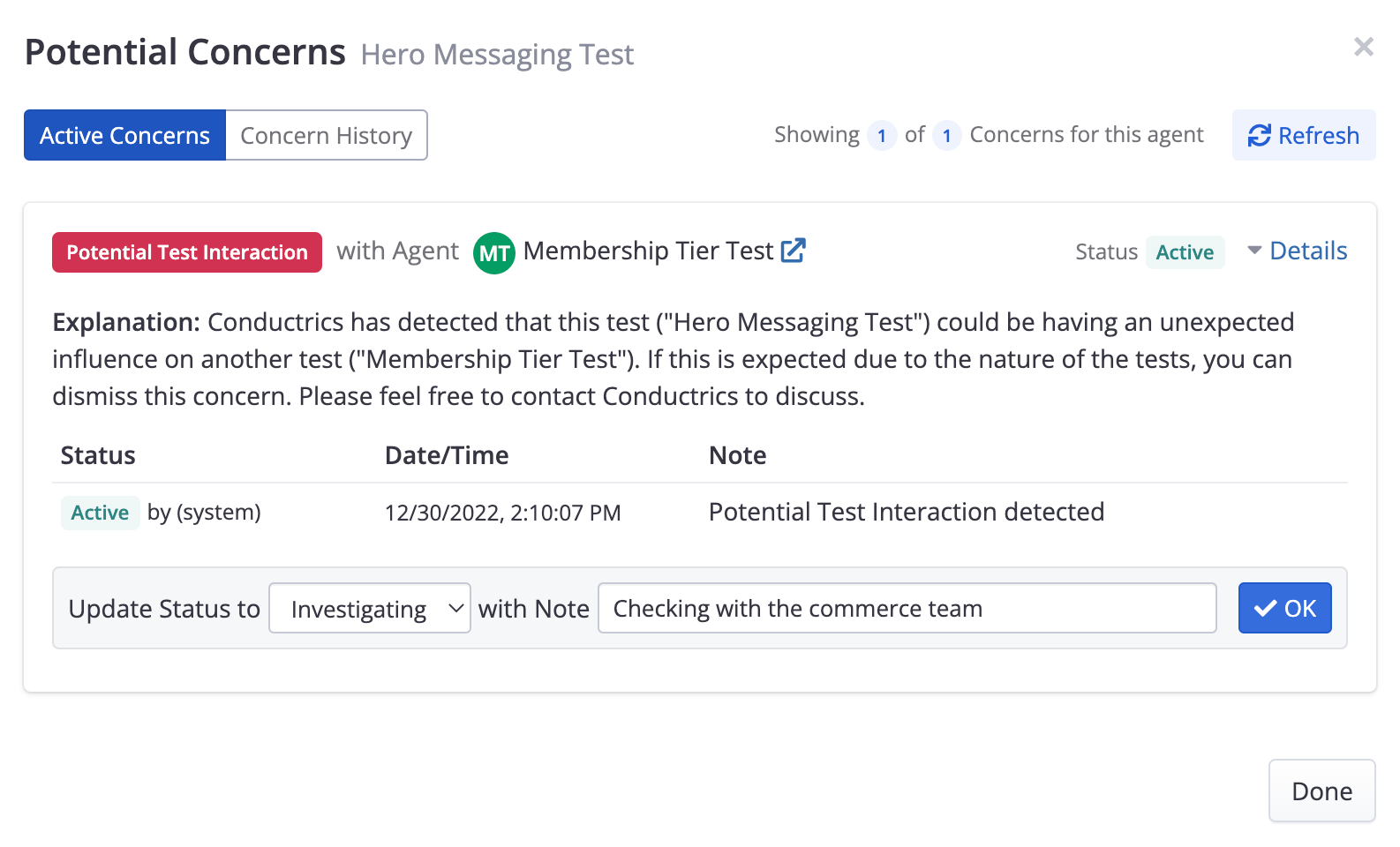
- Click Details to "open" the Concern in question ("Sample Mismatch" or "Test Interaction").
- For Update Status to, choose "Investigating" or "Dismissed" to help others understand where things stand for this concern. If you choose Investigating, the concern will still show up at the test/agent level in the Conductrics Admin. If you choose Dismissed, the concern only shows up in the "Concern History" tab (see below).
- Provide a short note, such as "Looking into this" or "This interaction was expected", etc.
- Click OK to keep the status change (and your note).
Finding Agents with Active Concerns
The main Agent List page of the Conductrics Admin allows you to filter your agents by Concern, so you can easily spot which ones (if any) have Test Interaction or Sample Ratio Mismatch concerns. Just look for the "Concerns" filter dropdown in the right sidebar.
Getting Notified by Email or Slack
Conductrics can notify you or others on your team when a Concern is detected (either a "Sample Ratio Mismatch" or "Test Interaction"). Just set up a Notification Stream with the Potential issues with agent data collection option turned on.
Even if you don't set up Notifications via Email or Slack, you will still see any Concerns in the Conductrics Admin (see screenshots earlier in this page).
Test Interaction Concerns in the Testing Report
If Conductrics has detected a potential test interaction, a "Potential Test Interactions" area will appear in the sidebar for the Testing Report. You can then use the report to look at the potential interactions more closely.
For instance, in the screenshot below, we have a fictitious "Downstream" agent, which Conductrics has detected might be being influenced by a fictitious "Upstream" agent:
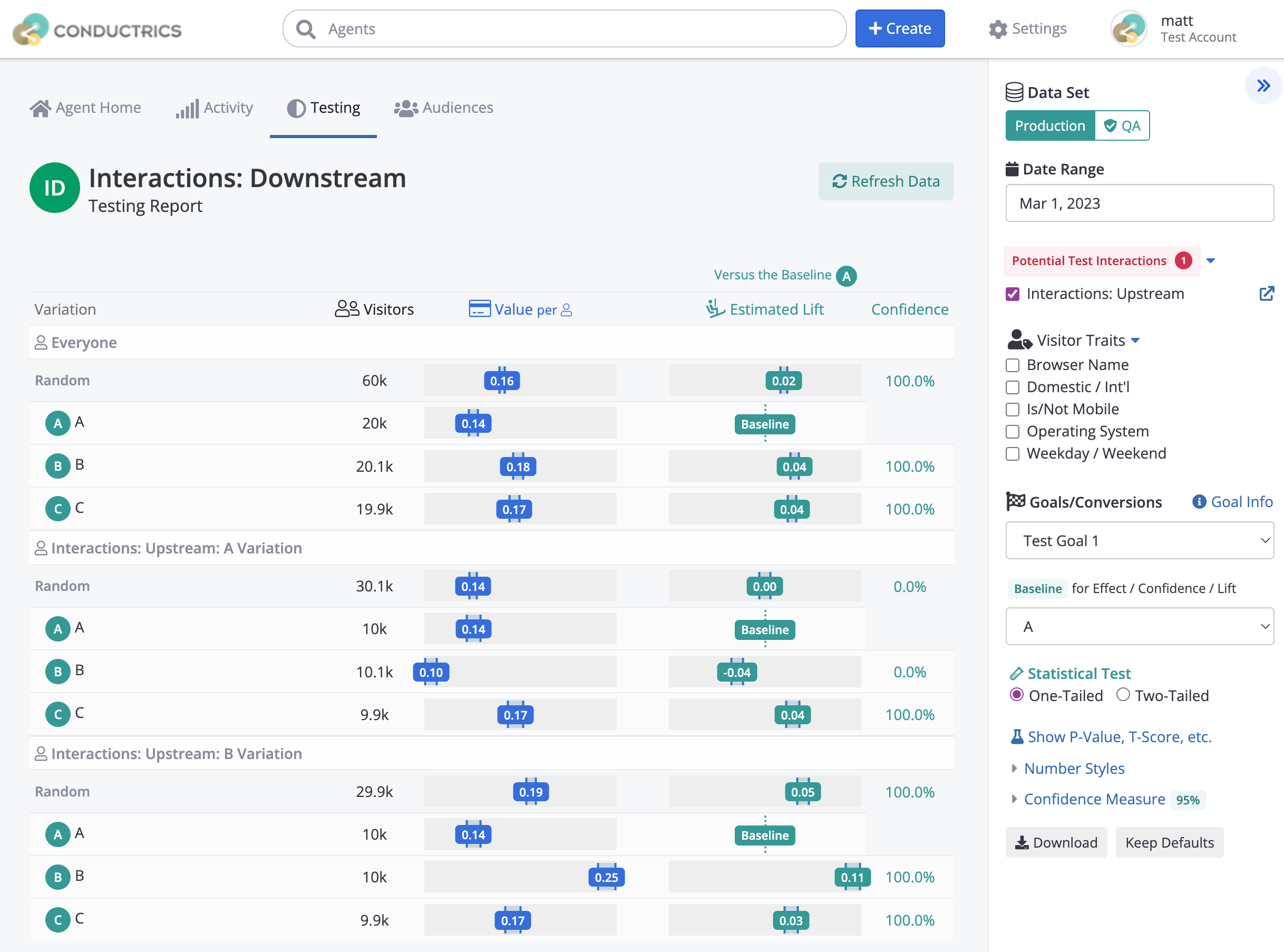
By selecting the checkbox for the "Upstream" agent in the sidebar (as shown above), the report shows three groups of numbers:
- At the top, we see the overall test results for the general population in the "Downstream" test.
- Next, we see the results for just those visitors that were also exposed (first) to the A Variation for the "Upstream" agent.
- Lastly, we see the results for just those visitors that were also exposed (first) to the B Variation for the "Upstream" agent.
If you look at the three lines for the "Downstream" agent's "B" variation in particular, it seems that there is some kind of interaction between the two tests. Note how much lower the estimated value is (0.10) for the visitors that were also exposed to the "A" variation for the "Upstream" agent. And how much higher the the estimated value is (0.25) for the visitors that were also exposed to the "A" variation.
Of course, this interaction could be expected, due to the nature of what you're testing conceptually, in which case you can dismiss the "Concern". But if it is unexpected, the interaction may point to the need to do further experimentation or research to understand why the two tests would have an outsized effect on one another.
Feel free to reach out to Conductrics if you'd like to discuss how to investigate an unexpected test interaction.
Understanding Sample Mismatch Concerns
Documentation to be provided soon, including:
- likely causes
- when might there be a false positive
- what to do next
Updated over 1 year ago